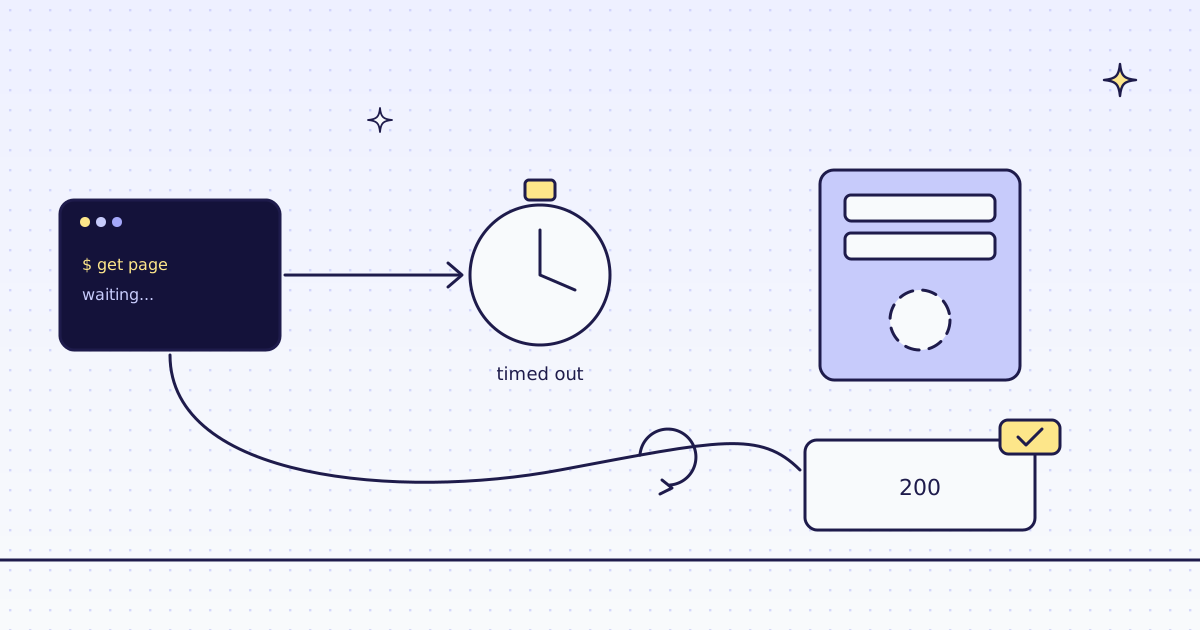
The short answer: Python requests has no default timeout. Without timeout=, a server that accepts the connection and never answers holds your script forever. Pass timeout=(connect, read) on every call: ReadTimeout means the server took too long to send data, and ConnectTimeout means it never took the connection. Catch requests.exceptions.Timeout for both. Note that ConnectTimeout is also a ConnectionError and ReadTimeout is not. For retries, mount an HTTPAdapter with urllib3's Retry. When a page is slow because it needs a browser, send it to our API: one more requests.post, and a call that runs out of time costs nothing.
What Python requests does on a slow server
Start a listener in one terminal with nc -lk 8799. It takes each connection and never answers, like a server that hangs. Run this in a second terminal:
timeout 10 python -c 'import requests; requests.get("http://127.0.0.1:8799/")'
echo "exit code: $? (124 = still waiting when timeout stopped it after 10 s)"
python -c 'import requests
try:
    requests.get("http://127.0.0.1:8799/", timeout=5)
except requests.exceptions.Timeout as err:
print(type(err).__name__, "|", err)'exit code: 124 (124 = still waiting when timeout stopped it after 10 s) ReadTimeout | HTTPConnectionPool(host='127.0.0.1', port=8799): Read timed out. (read timeout=5)
- The first call had no
timeoutand was still waiting after 10 seconds, when the shell'stimeoutkilled it. It would have waited for as long as the server held the connection. - The second call gave up after 5 seconds with
ReadTimeout: the connection was made, but no byte came back. - A single number,
timeout=5, sets both the connect and the read limit. It is not a limit on the whole download.
How Python requests reports a timeout
Our test store answers fast, so give it a limit too short to meet. The error is the same one a slow site gives you:
import requests

try:
    requests.get("https://lab.megalania.io/faq/", timeout=(5, 0.01))
except requests.exceptions.Timeout as err:
    print(type(err).__name__, "|", str(err).split(": ", 1)[1])
print("ConnectTimeout is a ConnectionError:", issubclass(requests.exceptions.ConnectTimeout, requests.exceptions.ConnectionError))
print("ReadTimeout is a ConnectionError:", issubclass(requests.exceptions.ReadTimeout, requests.exceptions.ConnectionError))ReadTimeout | Read timed out. (read timeout=0.01) ConnectTimeout is a ConnectionError: True ReadTimeout is a ConnectionError: False
timeout=(5, 0.01)gave the connection 5 seconds and the answer 10 ms, so the read limit ran out on a real page.- A handler for
ConnectionErroralone catchesConnectTimeoutbut letsReadTimeoutthrough. Catchrequests.exceptions.Timeoutwhen you mean any timeout.
The free fix: timeouts and retries
Set a limit on every request, and retry a few times with a pause. This fixes servers that are slow now and then:
import requests
from requests.adapters import HTTPAdapter
from urllib3.util import Retry

session = requests.Session()
retry = Retry(total=3, connect=3, read=3, backoff_factor=1, status_forcelist=[502, 503, 504])
session.mount("https://", HTTPAdapter(max_retries=retry))

res = session.get("https://lab.megalania.io/faq/", timeout=(5, 20))
print(res.status_code, res.elapsed.total_seconds() < 20, len(res.text), "characters")200 True 56038 characters
Retry(connect=3, read=3)retries timeouts too, withbackoff_factor=1: a pause that grows between tries.status_forcelistadds 502, 503 and 504.- urllib3 retries a read timeout only for methods it treats as safe to repeat, like GET. A POST that timed out is not sent twice.
timeout=(5, 20)still has to be on the call: the adapter has no default.
The fix that climbs: our API
Send the page to our API instead. We fetch it, run a real Chrome when you ask, and an answer that runs out of time costs nothing:
# Run: MEG_API_KEY=YOUR_KEY python fetch.py https://lab.megalania.io/faq/
import os
import sys

import requests

r = requests.post(
    "https://get.megalania.io/v1",
    headers={"Authorization": f"Bearer {os.environ['MEG_API_KEY']}"},
    json={"url": sys.argv[1], "response_types": "markdown", "max_credits": "64"},
    timeout=100,
)
print(f"{r.status_code} target={r.headers.get('X-Target-Status')} route={r.headers.get('X-Route')} credits={r.headers.get('X-Credits-Charged', 0)}")
print(r.text[:140])200 target=200 route=http/datacenter credits=1 # FAQ Is this a real shop? No. Gibber & Co. is a demo store by Megalania for testing web scraping. Nothing here is for sale. Checkout is s
timeout=100on our call is longer than our own limit of 90 seconds a page, so you get our answer, not aReadTimeout.- The FAQ page came back as Markdown, its questions as plain paragraphs.
The same call on a page whose list never finishes loading, with a 20-second limit:
import os

import requests

r = requests.post("https://get.megalania.io/v1", headers={"Authorization": f"Bearer {os.environ['MEG_API_KEY']}"},
                  json={"url": "https://lab.megalania.io/new-arrivals/", "engine": "browser", "actions": "wait_for:#item-99", "timeout": 20}, timeout=100)
print(r.status_code, r.headers.get("X-Credits-Charged", 0), r.elapsed.total_seconds() > 5, r.json()["error"]["code"])422 0 True action_failed
#item-99never appears on this page, so our Chrome waited until the time for actions ran out. We answered422,error.codeaction_failed, after more than 5 seconds.X-Credits-Chargedwas missing, so the script printed its default, 0. Raisetimeout, up to 90, or fix the selector.
One honest note: our test store is fast, so these runs show a short limit or a page that never gets ready, not a slow site. On a slow site, the call is the same; the price depends on the route that worked, and our MCP tool check_site tells you that price for free.
What it costs
| What we ran | Route | Credits |
|---|---|---|
| The FAQ page as Markdown | h:dc | 1 |
| A page that never got ready, in the browser | c:dc | 0 |
The nc runs, seen.py and fix.py, straight from requests | none | 0 |
Every rule is in Credits. Plans are on the pricing page.
How we measured: requests 2.34.2 with urllib3 on Python 3.13.5, one Linux server, 17 Nov 2026. nc -lk 8799 (OpenBSD netcat) as a server that never answers, and the shell's timeout to stop the call with no limit. Our test store for the short limit and for fix.py. Our API on our dev cluster for fetch.py and real.py, against the same store on our dev domain. The outputs are copied from those runs.
Limits
- Public pages only. We do not log in, and we do not solve CAPTCHAs. When a page needs either, we stop and say so, for free.
- A page built by JavaScript needs
engine=browser. It costs more. See How to scrape JavaScript-rendered pages. - Slow can mean slow down. A site that answers slowly may be under load. Keep your rate low, fetch public pages only, and follow the site's terms and robots.txt.
What to do when a site answers 429 instead is in 429 Too Many Requests when scraping.