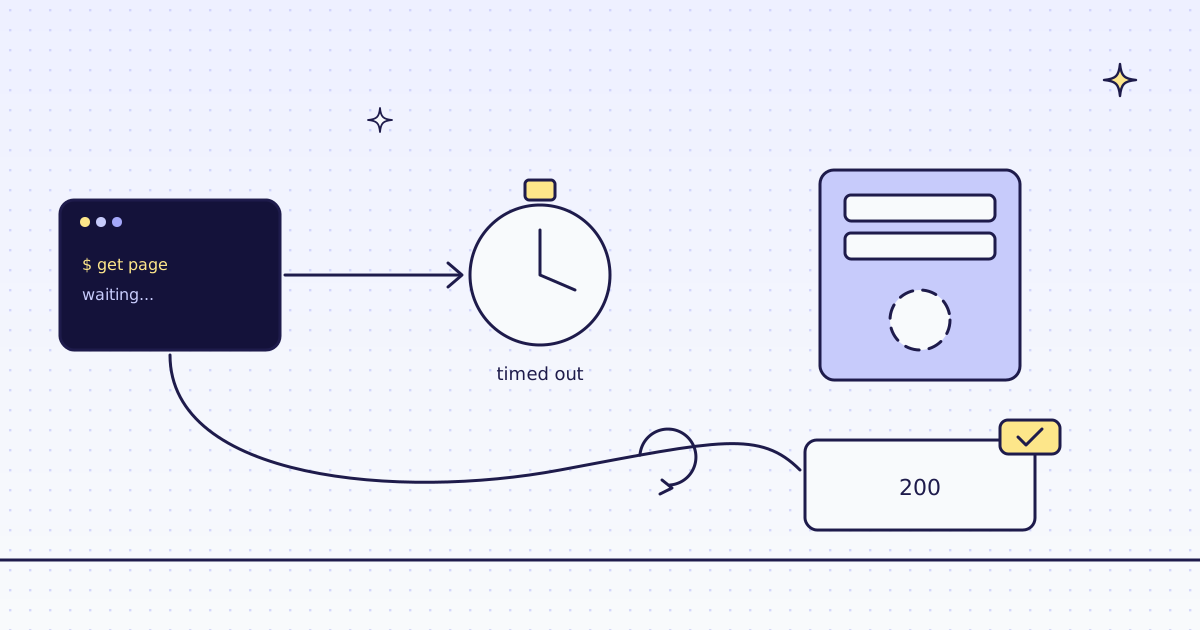
The short answer: An aiohttp ClientSession has a default timeout of 300 seconds for the whole request, plus 30 seconds to connect. When a limit runs out you get TimeoutError, and for total its message is empty. A sock_read limit raises SocketTimeoutError with Timeout on reading data from socket, which is also a ServerTimeoutError and a ClientError. Catch asyncio.TimeoutError to get them all. Pass aiohttp.ClientTimeout(total=..., sock_connect=..., sock_read=...) to the session, retry a few times with a pause, and cap how many requests run at once. Pages that are slow because they need a browser can go to our API instead.
What aiohttp does on a slow server
Start a listener in one terminal with nc -lk 8799. It takes each connection and never answers, like a server that hangs. Run this in a second terminal:
import asyncio
import time

import aiohttp


async def main():
    async with aiohttp.ClientSession() as plain:
        print("session default:", plain.timeout)
    start = time.monotonic()
    async with aiohttp.ClientSession(timeout=aiohttp.ClientTimeout(total=5)) as session:
        try:
            await session.get("http://127.0.0.1:8799/")
        except asyncio.TimeoutError as err:
            print(type(err).__name__, "| str():", repr(str(err)), f"| after {time.monotonic() - start:.1f} s")


asyncio.run(main())session default: ClientTimeout(total=300, connect=None, sock_read=None, sock_connect=30, ceil_threshold=5) TimeoutError | str(): '' | after 5.1 s
- A plain
ClientSession()waits 300 seconds, not forever, but five minutes per stuck request adds up in a crawl. str(err)is empty. Logtype(err).__name__orrepr(err), or your log line says nothing.ceil_threshold=5: limits of 5 seconds or more are rounded up to a whole second, so a run can end a little after your limit.
How aiohttp reports a timeout
Our test store answers fast, so give it a limit too short to meet. The error is the same one a slow site gives you:
import asyncio

import aiohttp


async def main():
    timeout = aiohttp.ClientTimeout(total=30, sock_read=0.001)
    async with aiohttp.ClientSession(timeout=timeout) as session:
        try:
            async with session.get("https://lab.megalania.io/faq/") as res:
                await res.text()
        except asyncio.TimeoutError as err:
            print(type(err).__name__, "|", err)
            print("is a ServerTimeoutError:", isinstance(err, aiohttp.ServerTimeoutError))
            print("is a ClientError:", isinstance(err, aiohttp.ClientError))


asyncio.run(main())SocketTimeoutError | Timeout on reading data from socket is a ServerTimeoutError: True is a ClientError: True
sock_read=0.001gave each read 1 ms, too short for a real page. Same result 3 runs out of 3.- A handler for
aiohttp.ClientErrorcatches this one, but not theTimeoutErrorfromtotal. Catchasyncio.TimeoutErrorwhen you mean any timeout.
The free fix: timeouts and retries
Set a limit on every request, and retry a few times with a pause. This fixes servers that are slow now and then:
import asyncio

import aiohttp

URLS = [f"https://lab.megalania.io/{p}/" for p in ("faq", "shipping", "about", "journal")]
TIMEOUT = aiohttp.ClientTimeout(total=30, sock_connect=5, sock_read=15)


async def fetch(session, url):
    for attempt in range(3):
        try:
            async with session.get(url) as res:
                return res.status, len(await res.text())
        except asyncio.TimeoutError:
            await asyncio.sleep(2 ** attempt)
    return None, 0


async def main():
    async with aiohttp.ClientSession(timeout=TIMEOUT) as session:
        print(await asyncio.gather(*(fetch(session, u) for u in URLS)))


asyncio.run(main())[(200, 56038), (200, 55409), (200, 56755), (200, 68332)]
- One
ClientTimeouton the session covers every request: 30 seconds in all, 5 to connect, 15 between reads. - Each page gets three tries with a 1, 2, 4 second pause, and a page that never answers comes back as
(None, 0)instead of stoppinggather.
The fix that climbs: our API
Send the page to our API instead. We fetch it, run a real Chrome when you ask, and an answer that runs out of time costs nothing:
# Run: MEG_API_KEY=YOUR_KEY python fetch.py
import asyncio
import os

import aiohttp

API = "https://get.megalania.io/v1"
PAGES = ["https://lab.megalania.io/faq/", "https://lab.megalania.io/shipping/"]


async def fetch(session, url):
    body = {"url": url, "response_types": "markdown"}
    async with session.post(API, json=body) as res:
        text = await res.text()
        return res.status, res.headers.get("X-Route"), res.headers.get("X-Credits-Charged", "0"), text.split("\n")[0]


async def main():
    headers = {"Authorization": f"Bearer {os.environ['MEG_API_KEY']}"}
    async with aiohttp.ClientSession(headers=headers, timeout=aiohttp.ClientTimeout(total=100)) as session:
        for row in await asyncio.gather(*(fetch(session, u) for u in PAGES)):
            print(*row, sep=" | ")


asyncio.run(main())200 | http/datacenter | 1 | # FAQ 200 | http/datacenter | 1 | # Shipping
- Two pages at once through one session, each as Markdown for 1 credit.
total=100on our call is longer than our own limit of 90 seconds a page, so you get our answer, not aTimeoutError.
The same call on a page whose list never finishes loading, with a 20-second limit:
# Run: MEG_API_KEY=YOUR_KEY python real.py
import asyncio
import os

import aiohttp


async def main():
    body = {"url": "https://lab.megalania.io/new-arrivals/", "engine": "browser", "actions": "wait_for:#item-99", "timeout": 20}
    headers = {"Authorization": f"Bearer {os.environ['MEG_API_KEY']}"}
    async with aiohttp.ClientSession(headers=headers, timeout=aiohttp.ClientTimeout(total=100)) as session:
        async with session.post("https://get.megalania.io/v1", json=body) as res:
            err = (await res.json())["error"]
            print(res.status, res.headers.get("X-Credits-Charged", "0"), err["code"], "|", err["message"][:70])


asyncio.run(main())422 0 action_failed | actions entry 0 could not run: no visible element matched its selector
#item-99never appears, so our Chrome waited until the time for actions ran out, and we answered422action_failed.- No
X-Credits-Chargedheader came back, so the script printed its default, 0.
One honest note: our test store is fast, so these runs show a short limit or a page that never gets ready, not a slow site. On a slow site, the call is the same; the price depends on the route that worked, and our MCP tool check_site tells you that price for free.
What it costs
| What we ran | Route | Credits |
|---|---|---|
| Two pages as Markdown, at once | h:dc | 2 |
| A page that never got ready, in the browser | c:dc | 0 |
sends.py, seen.py and fix.py, straight from aiohttp | none | 0 |
Every rule is in Credits. Plans are on the pricing page.
How we measured: aiohttp 3.14.5 on Python 3.13.5, one Linux server, 17 Nov 2026. nc -lk 8799 (OpenBSD netcat) as a server that never answers. Our test store for the short limit and for fix.py. Our API on our dev cluster for fetch.py and real.py, against the same store on our dev domain. The outputs are copied from those runs.
Limits
- Public pages only. We do not log in, and we do not solve CAPTCHAs. When a page needs either, we stop and say so, for free.
- A page built by JavaScript needs
engine=browser. It costs more. See How to scrape JavaScript-rendered pages. - Slow can mean slow down. A site that answers slowly may be under load. Keep your rate low, fetch public pages only, and follow the site's terms and robots.txt.
What to do when a site answers 429 instead is in 429 Too Many Requests when scraping.