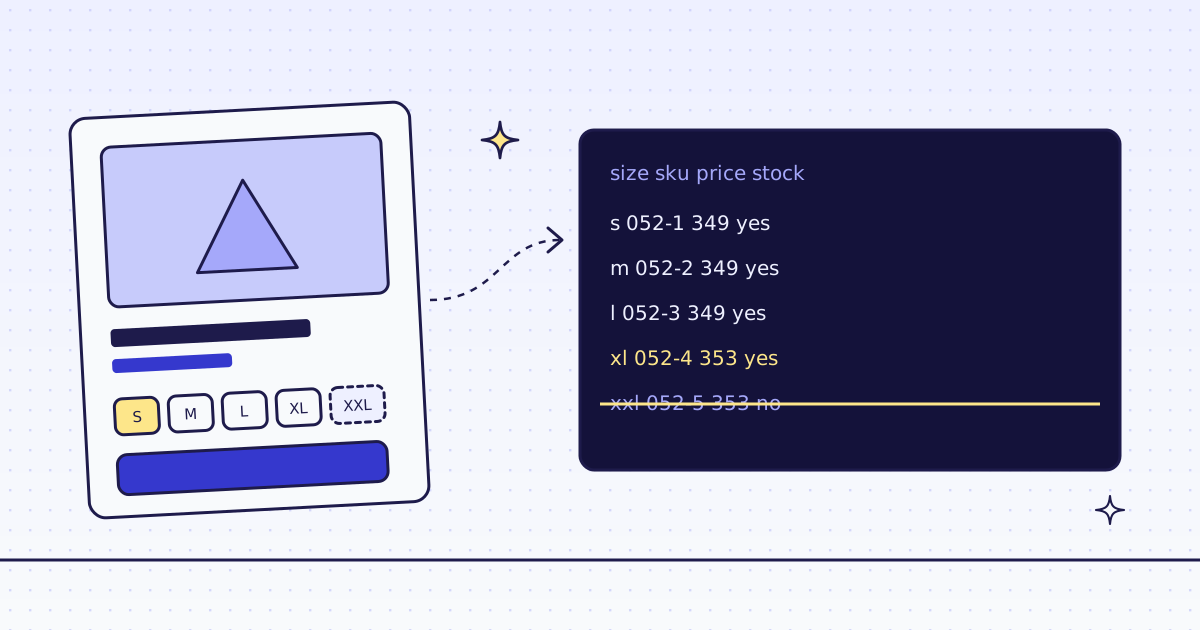
The short answer: to scrape product variants, do not read the price on the page. Read the list of variants that the page embeds for its size and color picker. On a WooCommerce store it is a JSON attribute on the cart form, and one rule gets it: variations:form.variations_form@data-product_variations. On our test store’s Alpine Down Parka, that gave 5 variants for 2 credits, and showed that XXL is out of stock, which the page’s own product data does not say. A whole store, 33 products and 224 variants, took 82 credits and 34 seconds.
Why the page price is not enough
A product with sizes or colors is many products under one URL. Each variant has its own SKU, price and stock. The page shows a price range until you pick a size, and the product data that search engines read sums it up. On the parka, its JSON-LD says:
{"@type": "AggregateOffer", "lowPrice": "349.00", "highPrice": "353.00", "offerCount": 5, "availability": "https://schema.org/InStock"}“In stock”, from 349 to 353. True for the product, but not for every size: one of the five is sold out. If you track prices or stock, the variant is the unit you need. More on JSON-LD in How to scrape product data from any store.
Where the variants hide
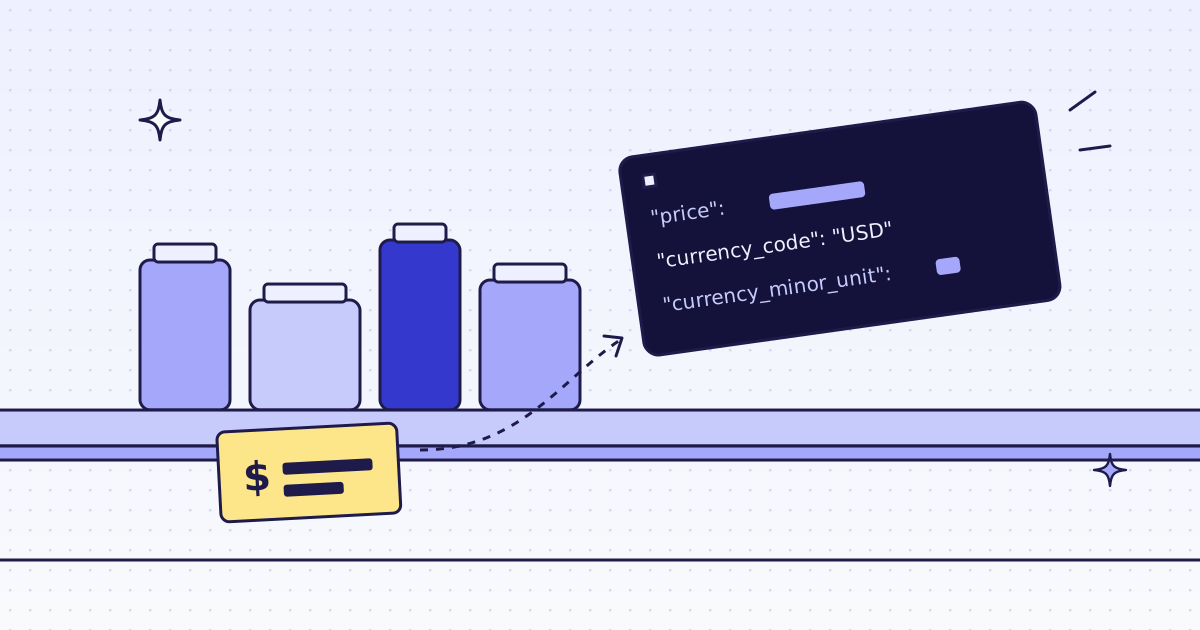
The size and color picker needs the full list in the browser, so the page carries it. On WooCommerce it is the data-product_variations attribute of form.variations_form, a JSON list with one object per variant: its attributes (size, color), sku, display_price, display_regular_price and is_in_stock. Other platforms do the same with other names. Shopify has /products/<handle>.json; see How to scrape any Shopify store.
The free way first
The Lab is a plain HTML page, so requests and the standard library can read it:
import html
import json
import re
import requests

page = requests.get("https://lab.megalania.io/product/alpine-down-parka/", timeout=30).text
raw = re.search(r'data-product_variations="([^"]*)"', page).group(1)
for v in json.loads(html.unescape(raw)):
print(v["attributes"], v["sku"], v["display_price"], v["is_in_stock"]){'attribute_pa_size': 's', 'attribute_pa_color': 'black'} GBR-OUT-052-1 349 True
{'attribute_pa_size': 'm', 'attribute_pa_color': 'black'} GBR-OUT-052-2 349 True
{'attribute_pa_size': 'l', 'attribute_pa_color': 'black'} GBR-OUT-052-3 349 True
{'attribute_pa_size': 'xl', 'attribute_pa_color': 'black'} GBR-OUT-052-4 353 True
{'attribute_pa_size': 'xxl', 'attribute_pa_color': 'black'} GBR-OUT-052-5 353 FalseUse it when it works. It stops working when a store blocks plain requests, and then you run proxies and a browser yourself. With us, the same rule runs on the cheapest route that gets the page.
One product, one request (cURL)
curl -s -G "https://get.megalania.io/v1" \
  -H "Authorization: Bearer $MEG_API_KEY" \
  --data-urlencode "url=https://lab.megalania.io/product/alpine-down-parka/" \
  --data-urlencode "response_types=json" \
  --data-urlencode "extract=name:h1|variations:form.variations_form@data-product_variations"
{"name": "Alpine Down Parka", "variations": "[{\"attributes\":{\"attribute_pa_size\":\"s\",\"attribute_pa_color\":\"black\"}, ... \"display_price\":349, ... \"is_in_stock\":true, ... \"sku\":\"GBR-OUT-052-1\", ...}, ...]"}@data-product_variationsreads the attribute, not the text. The value is the JSON list as a string;json.loadsturns it into Python.- It cost 2 credits: 1 for the page on the datacenter route and 1 for the JSON output. The headers said so:
X-Route: http/datacenter,X-Credits-Charged: 2. - A product without variants has no such form, so
variationsisnull. The shape of the answer never changes.
A whole store: Python
Two steps. First, find the products that have variants. On a WooCommerce listing their button has the class product_type_variable, so one rule lists them while we follow the “next” link through the shop. Then send those product URLs as one batch with the variant rule, and write one CSV row per variant.
import csv
import json
import os
import time
import uuid
import requests

GET = "https://get.megalania.io/v1"
API = "https://api.megalania.io/v1/batches"
HEADERS = {"Authorization": f"Bearer {os.environ['MEG_API_KEY']}"}
SHOP = "https://lab.megalania.io/shop/"
VARIANTS = "name:h1|variations:form.variations_form@data-product_variations"


def one(url, rules):
    r = requests.get(GET, params={"url": url, "response_types": "json", "extract": rules},
                     headers=HEADERS, timeout=120)
    r.raise_for_status()
    return r.json(), int(r.headers["X-Credits-Charged"])


def variable_products():
    url, urls, spent = SHOP, [], 0
    while url:
        page, cost = one(url, "urls:a.product_type_variable@href*|next:a.next@href")
        urls += page["urls"]
        spent += cost
        url = page["next"]
    return urls, spent


def rows(product, url):
    for v in json.loads(product["variations"] or "[]"):
        yield {
            "product": product["name"],
            "url": url,
            **{k.removeprefix("attribute_pa_"): a for k, a in v["attributes"].items()},
            "sku": v["sku"],
            "price": v["display_price"],
            "regular_price": v["display_regular_price"],
            "in_stock": v["is_in_stock"],
        }


def batch(urls):
    body = {"urls": urls, "response_types": "json", "extract": VARIANTS, "max_credits": 8}
    r = requests.post(API, json=body, headers={**HEADERS, "Idempotency-Key": str(uuid.uuid4())}, timeout=60)
    r.raise_for_status()
    bid = r.json()["id"]
    while True:
        b = requests.get(f"{API}/{bid}", params={"wait_seconds": 25}, headers=HEADERS, timeout=60).json()
        if b["status"] in ("done", "failed", "canceled"):
            break
    out = []
    items = requests.get(f"{API}/{bid}/items", params={"limit": 1000}, headers=HEADERS, timeout=60).json()["items"]
    for item in sorted(items, key=lambda i: i["position"]):
        if item["result_url"]:
            out += rows(requests.get(item["result_url"], timeout=60).json(), item["url"])
        else:
            print("no result for", item["url"], item["error"])
    return out, b["counts"]["charged_credits"]


t = time.monotonic()
urls, listing = variable_products()
print(f"{len(urls)} products with variants, {listing} credits for the listing")
variants, spent = batch(urls)
print(f"{len(variants)} variants, {spent} credits for the products, {time.monotonic() - t:.1f} s")

with open("variants.csv", "w", newline="") as f:
    keys = list(dict.fromkeys(k for v in variants for k in v))
    w = csv.DictWriter(f, fieldnames=keys)
    w.writeheader()
    w.writerows(variants)

out = [v for v in variants if not v["in_stock"]]
print(f"{len(out)} variants out of stock, for example:", *[f"  {v['product']} {v.get('size') or v.get('color')} {v['sku']}" for v in out[:3]], sep="\n")
by = {}
for v in variants:
    by.setdefault(v["product"], set()).add(v["price"])
print(f"{sum(len(p) > 1 for p in by.values())} products have more than one price")
Run it:
pip install requests
export MEG_API_KEY='meg_sk_...'
python variants.py
What it printed:
33 products with variants, 16 credits for the listing
224 variants, 66 credits for the products, 34.2 s
33 variants out of stock, for example:
  Alpine Down Parka xxl GBR-OUT-052-5
  Brushed Flannel Shirt xl GBR-TOP-042-7
  Canvas Chore Coat l GBR-OUT-057-5
21 products have more than one price
33 of the 224 variants were sold out, and 21 of the 33 products had more than one price across their sizes. The first lines of variants.csv:
product,url,size,color,sku,price,regular_price,in_stock
Alpine Down Parka,https://lab.megalania.io/product/alpine-down-parka/,s,black,GBR-OUT-052-1,349,349,True
Alpine Down Parka,https://lab.megalania.io/product/alpine-down-parka/,m,black,GBR-OUT-052-2,349,349,True
Alpine Down Parka,https://lab.megalania.io/product/alpine-down-parka/,l,black,GBR-OUT-052-3,349,349,True
Alpine Down Parka,https://lab.megalania.io/product/alpine-down-parka/,xl,black,GBR-OUT-052-4,353,353,True
Alpine Down Parka,https://lab.megalania.io/product/alpine-down-parka/,xxl,black,GBR-OUT-052-5,353,353,False
A few details:
- The CSV columns follow the store.
attribute_pa_sizebecomessize. A product with only colors has an emptysizecell. - The batch lives on the API host,
api.megalania.io.wait_seconds=25holds the answer until the batch ends, so the loop never sleeps blind.Idempotency-Keymakes a retry safe: the same key gives the same batch, not a second bill. More in Scrape multiple pages in Python, two ways and in Batches. max_credits: 8skips any route above 8 credits for each product, so a store that starts blocking cannot surprise the bill.
Track it every day
Run the script once a day and compare today’s CSV with yesterday’s on sku. A variant whose in_stock went from False to True is back in stock; a changed price is a price change. How to track competitor prices and stock every day has the snapshot and diff code. To have us run the check on a schedule and send only what changed, see How to monitor a web page for changes with an API.
What it costs
| Step | Pages | Credits |
|---|---|---|
| One product with the variant rule | 1 | 2 |
| The shop listing, following next | 8 | 16 |
| The batch of products with variants | 33 | 66 |
| A blocked page or one of our errors | — | 0 |
Each page costs 1 credit on the datacenter route, plus 1 for the JSON output. A batch is priced like single requests. These prices are for this site; a store that blocks the datacenter route costs more. Check yours first with GET /v1/tier?host=... or the MCP tool check_site; both are free. Plans are on the pricing page.
How we measured: our dev cluster on 16 Nov 2026, the Lab store on our dev domain, one run of each script above.
Limits
- The rule is per platform.
form.variations_form@data-product_variationsis WooCommerce. On another store, look for the JSON the size picker uses: ourinspecttool lists the JSON a page embeds. - Some stores load variants by script after the page loads. Then the plain page has no list, and you need
engine=browser, which costs more. See How to scrape JavaScript-rendered pages. - “In stock” is what the page says. We do not log in and do not add items to a cart, so stock that only shows behind a login is out of reach.
Fetch public pages only. Read the site’s terms and robots.txt, and follow them. Keep batches to the size you need.