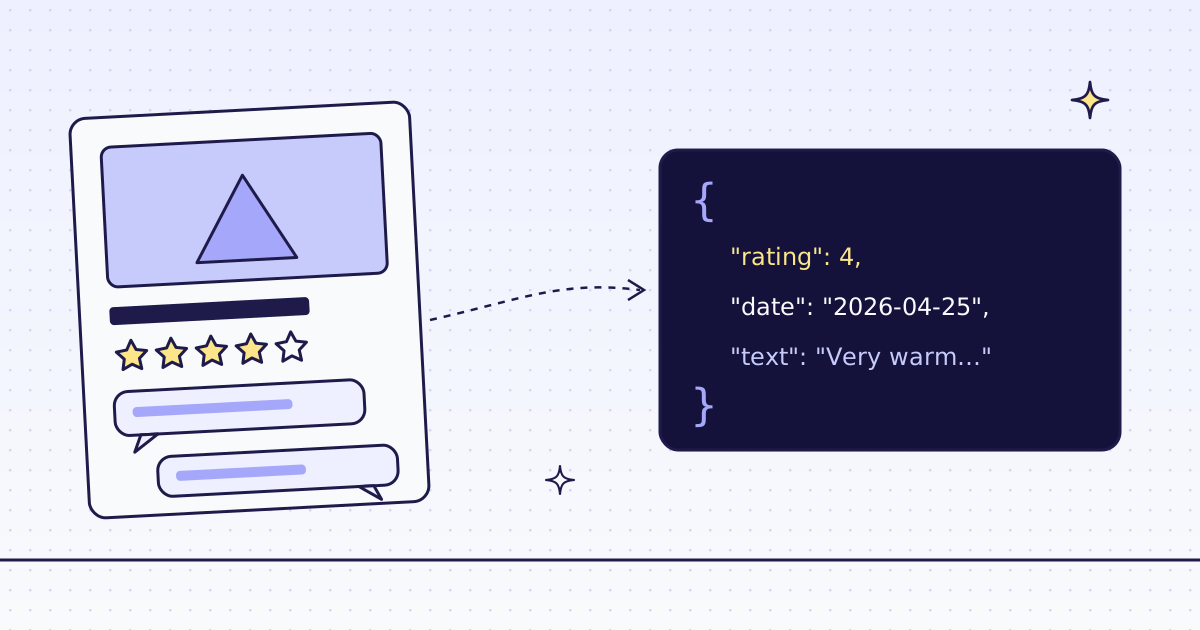
The short answer: to scrape product reviews in Python, read the review list, not the page text. Each review is one repeating block, so one row rule returns one JSON object per review: reviews:li.review{rating:strong.rating|date:time@datetime|text:.description}*. On our test store’s Alpine Down Parka, that gave its 2 reviews for 2 credits. A whole store, 71 products and 149 reviews, took 158 credits and 56 seconds.
What a review looks like in the page
A review block on a WooCommerce product page has four parts you may want: the stars, the author’s name, the date and the text. The stars sit in strong.rating, the date in a <time> tag with a machine date in datetime, and the text in .description.
We leave the author out. A name is personal data, and for most uses, like finding what buyers complain about, the rating, date and text are enough. The Lab’s reviewer names are made up, but your target’s are not.
The free way first
Many stores also put their reviews in the product’s JSON-LD, the data search engines read. The Lab is a plain HTML page, so requests and the standard library can read it:
import json
import re
import requests

page = requests.get("https://lab.megalania.io/product/alpine-down-parka/", timeout=30).text
for block in re.findall(r'<script type="application/ld\+json"[^>]*>(.*?)</script>', page, re.S):
    for node in json.loads(block).get("@graph", []):
        for rv in node.get("review", []):
print(rv["reviewRating"]["ratingValue"], rv["datePublished"][:10], rv["reviewBody"])5 2026-09-02 Wore it in Lapland at minus twenty. Warm. 4 2026-04-25 Very warm, almost too warm for the city.
Use it when it works. Not every store puts reviews in JSON-LD, and a store that blocks plain requests needs proxies and a browser, which you then run yourself. More on JSON-LD in How to scrape product data from any store.
One product, one request (cURL)
curl -s -G "https://get.megalania.io/v1" \
  -H "Authorization: Bearer $MEG_API_KEY" \
  --data-urlencode "url=https://lab.megalania.io/product/alpine-down-parka/" \
  --data-urlencode "response_types=json" \
--data-urlencode "extract=product:h1|average:.woocommerce-product-rating strong.rating|reviews:li.review{rating:strong.rating|date:time@datetime|text:.description}*"{"average": "4.50", "product": "Alpine Down Parka", "reviews": [
{"rating": "4", "date": "2026-04-25T00:00:00+00:00", "text": "Very warm, almost too warm for the city."},
{"rating": "5", "date": "2026-09-02T00:00:00+00:00", "text": "Wore it in Lapland at minus twenty. Warm."}
]}li.review{...}*gives one object per review. Inside{}, each rule looks only inside that review, so a rating never lands on the wrong text.time@datetimereads the attribute,2026-04-25T00:00:00+00:00, not the shown text “April 25, 2026”. It sorts and compares without parsing.- A product without reviews gives
"reviews": [], and a field that matches nothing isnull. The shape of the answer never changes. The rules are in Fetch. - It cost 2 credits: 1 for the page on the datacenter route and 1 for the JSON output. The headers said so:
X-Route: http/datacenter,X-Credits-Charged: 2.
A whole store: Python
Two steps. First, list the products that have reviews. On a WooCommerce listing a rated product shows stars, so li.product:has(.star-rating) keeps only those, while we follow the “next” link through the shop. Then send those product URLs as one batch with the review rule, and write one JSON line per review.
import collections
import json
import os
import time
import uuid
import requests

GET = "https://get.megalania.io/v1"
API = "https://api.megalania.io/v1/batches"
HEADERS = {"Authorization": f"Bearer {os.environ['MEG_API_KEY']}"}
SHOP = "https://lab.megalania.io/shop/"
REVIEWS = "product:h1|reviews:li.review{rating:strong.rating|date:time@datetime|text:.description}*"


def one(url, rules):
    r = requests.get(GET, params={"url": url, "response_types": "json", "extract": rules},
                     headers=HEADERS, timeout=120)
    r.raise_for_status()
    return r.json(), int(r.headers["X-Credits-Charged"])


def rated_products():
    url, urls, spent = SHOP, [], 0
    while url:
        page, cost = one(url, "urls:li.product:has(.star-rating) a.woocommerce-LoopProduct-link@href*|next:a.next@href")
        urls += page["urls"]
        spent += cost
        url = page["next"]
    return urls, spent


def batch(urls):
    body = {"urls": urls, "response_types": "json", "extract": REVIEWS, "max_credits": 8}
    r = requests.post(API, json=body, headers={**HEADERS, "Idempotency-Key": str(uuid.uuid4())}, timeout=60)
    r.raise_for_status()
    bid = r.json()["id"]
    while True:
        b = requests.get(f"{API}/{bid}", params={"wait_seconds": 25}, headers=HEADERS, timeout=60).json()
        if b["status"] in ("done", "failed", "canceled"):
            break
    out = []
    items = requests.get(f"{API}/{bid}/items", params={"limit": 1000}, headers=HEADERS, timeout=60).json()["items"]
    for item in sorted(items, key=lambda i: i["position"]):
        if not item["result_url"]:
            print("no result for", item["url"], item["error"])
            continue
        page = requests.get(item["result_url"], timeout=60).json()
        for rv in page["reviews"]:
            out.append({"product": page["product"], "url": item["url"], "rating": int(rv["rating"]),
                        "date": rv["date"][:10], "text": rv["text"].strip()})
    return out, b["counts"]["charged_credits"]


t = time.monotonic()
urls, listing = rated_products()
print(f"{len(urls)} products with reviews, {listing} credits for the listing")
reviews, spent = batch(urls)
print(f"{len(reviews)} reviews, {spent} credits for the products, {time.monotonic() - t:.1f} s")

with open("reviews.jsonl", "w") as f:
    for rv in reviews:
        f.write(json.dumps(rv) + "\n")

stars = collections.Counter(rv["rating"] for rv in reviews)
print("stars:", ", ".join(f"{s}: {stars[s]}" for s in range(5, 0, -1)))
print(f"average: {sum(rv['rating'] for rv in reviews) / len(reviews):.2f}")
low = [rv for rv in reviews if rv["rating"] <= 3]
print(f"{len(low)} reviews at 3 stars or less, for example:")
for rv in low[:3]:
    print(f"  {rv['rating']} {rv['date']} {rv['product']}: {rv['text']}")
Run it:
pip install requests
export MEG_API_KEY='meg_sk_...'
python reviews.py
What it printed:
71 products with reviews, 16 credits for the listing
149 reviews, 142 credits for the products, 56.4 s
stars: 5: 95, 4: 45, 3: 7, 2: 2, 1: 0
average: 4.56
9 reviews at 3 stars or less, for example:
  2 2026-02-14 Cloudrest Insulated Sleeping Pad: Got a slow leak after one season. Patched it with the kit in the box, but I expected better.
  3 2026-04-18 Everyday Crew Tee: Good quality, but the XXL runs short in the body for tall people.
  2 2025-12-16 Fellwalker Leather Hiking Boot: The toe box is narrow for my wide feet. Had to return them, the return was easy though.
The first lines of reviews.jsonl:
{"product": "20 cm Chef’s Knife", "url": "https://lab.megalania.io/product/chef-knife/", "rating": 4, "date": "2026-03-01", "text": "Excellent knife. The handle is a bit small for big hands."}
{"product": "20 cm Chef’s Knife", "url": "https://lab.megalania.io/product/chef-knife/", "rating": 5, "date": "2026-08-01", "text": "Replaced a whole block of cheap knives with this. Don’t miss them."}
A few details:
- JSON lines, not one big list. One review per line streams into pandas (
pd.read_json("reviews.jsonl", lines=True)), a database or a dataset tool, and a failed run keeps what it wrote. - The low reviews are the useful ones. 9 of 149 were 3 stars or less, and each names one problem: a leak, a short fit, a narrow toe box.
- The batch lives on the API host,
api.megalania.io.wait_seconds=25holds the answer until the batch ends.Idempotency-Keymakes a retry safe: the same key gives the same batch, not a second bill. More in Batches. max_credits: 8skips any route above 8 credits for each product, so a store that starts blocking cannot surprise the bill.
The same batch pattern reads every size and color of a product in How to scrape product variants.
What it costs
| Step | Pages | Credits |
|---|---|---|
| One product with the review rule | 1 | 2 |
| The shop listing, following next | 8 | 16 |
| The batch of products with reviews | 71 | 142 |
| A blocked page or one of our errors | — | 0 |
Each page costs 1 credit on the datacenter route, plus 1 for the JSON output. A batch is priced like single requests. These prices are for this site; a store that blocks the datacenter route costs more. Check yours first with GET /v1/tier?host=... or the MCP tool check_site; both are free. See Credits. Plans are on the pricing page.
How we measured: our dev cluster on 16 Nov 2026, the Lab store on our dev domain, Python 3.13 and requests, one run of each script above.
Limits
- The rule is per platform.
li.reviewis WooCommerce. On another store, ourinspecttool lists the blocks that repeat on a page and suggests rules it checked there. - We read the reviews the page shows. A store that shows the first 10 and loads the rest with a “more” button needs
engine=browserwith a click inactions. The browser costs more; see How to scrape JavaScript-rendered pages. - Reviews behind a login are out of reach. We do not log in.
- Review text is personal writing. Keep what you need, drop author names, and check the rules where you use the data.
Fetch public pages only. Read the site’s terms and robots.txt, and follow them. Keep batches to the size you need.