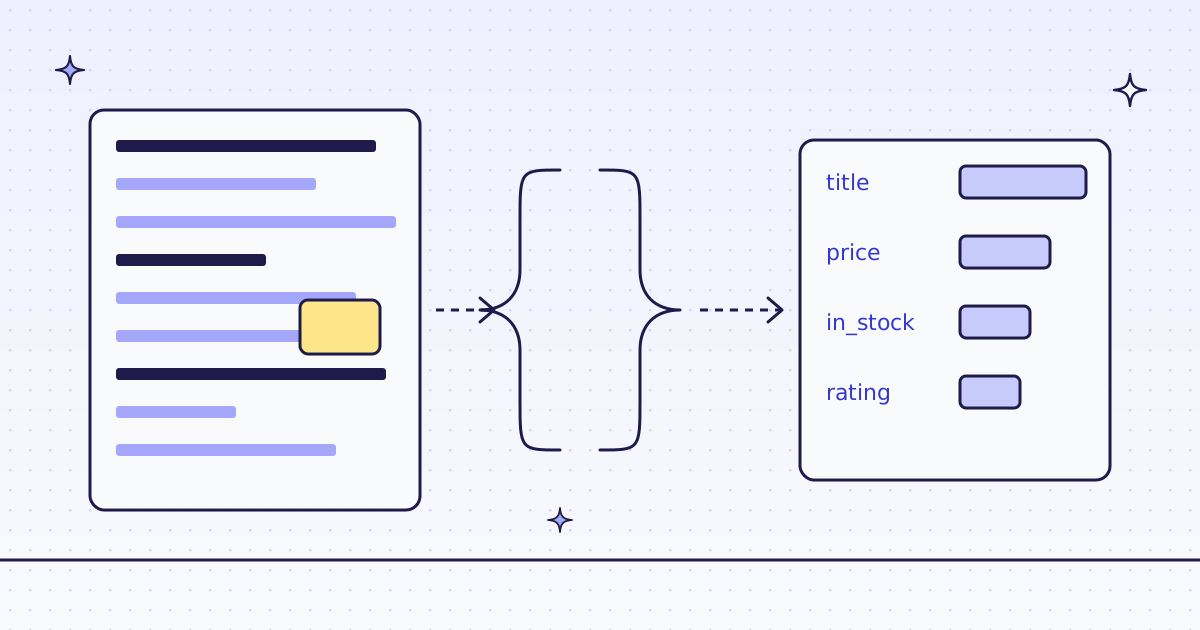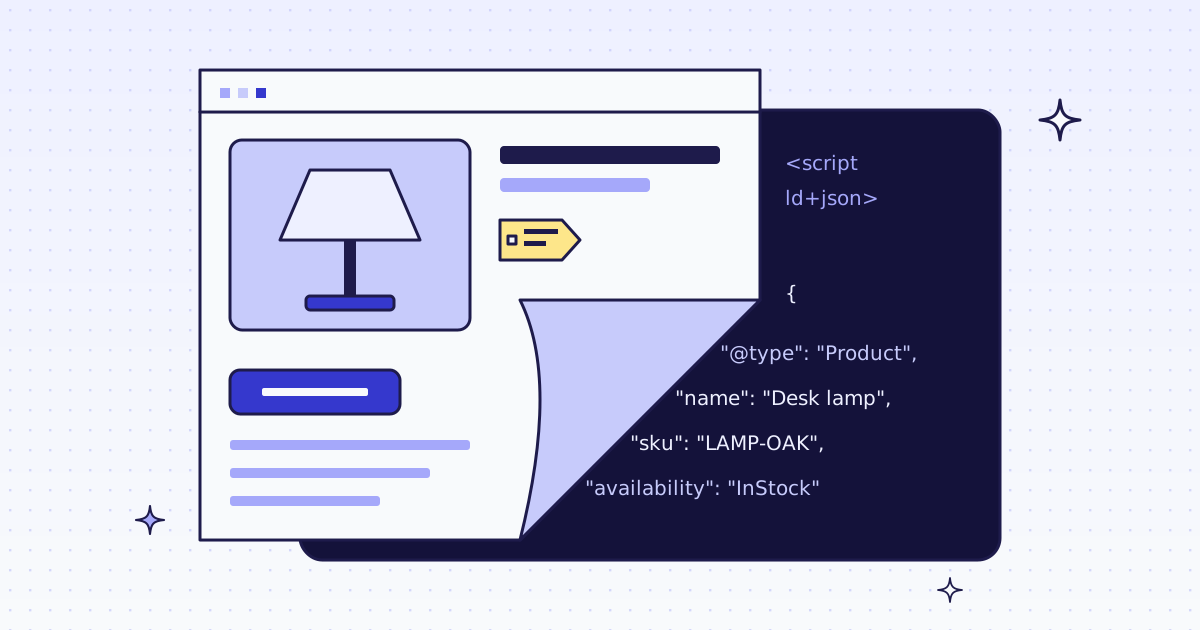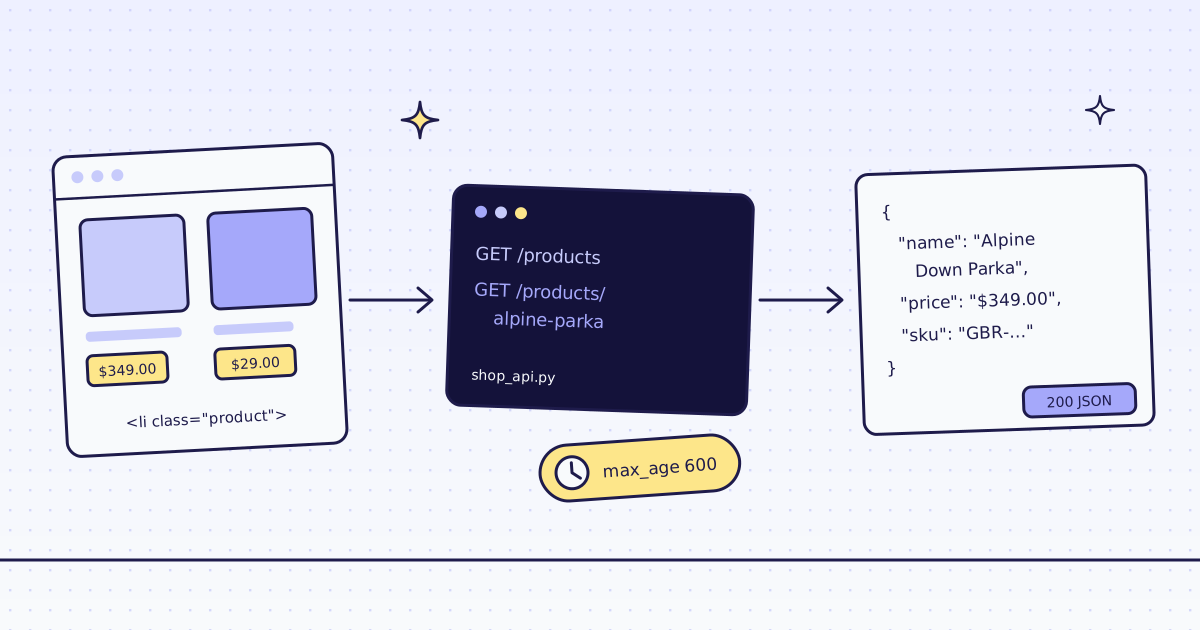
The short answer: to convert a website to a JSON API, run a small server of your own. Each route on it sends one page URL and a few CSS rules to POST /v1, and answers with the fields as JSON. inspect suggests rules, extract reads them, and max_age lets a second call within 10 minutes reuse a recent copy for less. On our test store, lab.megalania.io, a product came back as JSON for 2 credits, and the same product again for 1 credit, in 0.04 s instead of 2.0 s.
What you build
Most sites have no public API. Their data is in the HTML: names, prices, SKUs, specs. You want it as JSON, from a URL your own code can call:
GET /products?page=2         → the 9 products on shop page 2, and the next page number
GET /products/<slug>         → one product: name, SKU, price and its specs
The server is about 60 lines of Python with no packages. It runs where you run it: your laptop, a container, a small VM. We do not host it for you. Behind each route is one call to us, so you never parse HTML and you never run a browser.
Find the rules with inspect
Rules are CSS selectors with a name: name:h1.product_title reads the text of the page’s h1. To find them without reading the page source, ask for response_types=inspect. It lists the blocks that repeat on the page, with a ready extract rule for each one. Save this as inspect_page.py:
import json
import os
import sys
import urllib.parse
import urllib.request

query = urllib.parse.urlencode({"url": sys.argv[1], "response_types": "inspect"})
req = urllib.request.Request(
    f"https://get.megalania.io/v1?{query}",
    headers={"Authorization": f"Bearer {os.environ['MEG_API_KEY']}"},
)
with urllib.request.urlopen(req, timeout=120) as res:
    page = json.load(res)
    print("credits:", res.headers["X-Credits-Charged"])
for c in page["containers"]:
    if "menu" not in c["selector"]:
print(c["count"], c["extract"])export MEG_API_KEY='meg_sk_...' python inspect_page.py https://lab.megalania.io/product/alpine-down-parka/ python inspect_page.py https://lab.megalania.io/shop/
credits: 1
6 items:tr.woocommerce-product-attributes-item*
credits: 1
18 items:ul.page-numbers > li{page_numbers:span.page-numbers|link:a.page-numbers@href|page_numbers_2:a.page-numbers}*
The script skips the site’s menus, which inspect lists too. What is left:
- On the product page,
inspectfound the specs table: 6 rows. We turned its rule into one with two fields per row,{name:th|value:td}. - On the shop page, it did not find the product cards. It found the page numbers, but not the 9
li.productcards, the block we want most. We found this on 16 Nov 2026 and reported it. For WooCommerce, the card rule is in How to scrape a website to CSV; we use it below. inspectcosts 1 credit on the Lab, the price of the page. The structure itself is free.
So treat inspect as a first draft. Check each rule on a page you know before you build on it.
Convert a website to a JSON API: the server
Save this as shop_api.py. It uses only the Python standard library:
import json
import os
import re
import urllib.error
import urllib.request
from http.server import BaseHTTPRequestHandler, ThreadingHTTPServer
from urllib.parse import parse_qs, urlparse

KEY = os.environ["MEG_API_KEY"]
LAB = "https://lab.megalania.io"
MAX_AGE = 600

LIST = (
    "items:li.product{name:h2|price:.price ins .amount, .price > .amount:first-child"
    "|url:a.woocommerce-loop-product__link@href}*|next:a.next@href"
)
PRODUCT = (
    "name:h1.product_title|sku:.sku|price:p.price ins .amount, p.price > .amount:first-child"
    "|attributes:tr.woocommerce-product-attributes-item{name:th|value:td}*"
)


def extract(url, fields):
    body = {"url": url, "response_types": "json", "extract": fields, "max_age": MAX_AGE, "max_credits": 4}
    req = urllib.request.Request(
        "https://get.megalania.io/v1",
        data=json.dumps(body).encode(),
        headers={"Authorization": f"Bearer {KEY}", "Content-Type": "application/json"},
    )
    try:
        with urllib.request.urlopen(req, timeout=120) as res:
            cost = {"credits": int(res.headers["X-Credits-Charged"]), "cache": res.headers["X-Cache"]}
            site = int(res.headers["X-Target-Status"])
            if site >= 400:
                return site, {"error": f"the site answered {site}", "cost": cost}
            return 200, json.load(res) | {"cost": cost}
    except urllib.error.HTTPError as e:
        return e.code, json.load(e)


class Shop(BaseHTTPRequestHandler):
    def do_GET(self):
        path = urlparse(self.path)
        if path.path == "/products":
            page = int(parse_qs(path.query).get("page", ["1"])[0])
            url = f"{LAB}/shop/" if page == 1 else f"{LAB}/shop/page/{page}/"
            status, data = extract(url, LIST)
            if status == 200:
                data["next"] = page + 1 if data["next"] else None
        elif m := re.fullmatch(r"/products/([a-z0-9-]+)", path.path):
            status, data = extract(f"{LAB}/product/{m[1]}/", PRODUCT)
        else:
            status, data = 404, {"error": "not found"}
        out = json.dumps(data, ensure_ascii=False).encode()
        self.send_response(status)
        self.send_header("Content-Type", "application/json; charset=utf-8")
        self.send_header("Content-Length", str(len(out)))
        self.end_headers()
        self.wfile.write(out)


ThreadingHTTPServer(("127.0.0.1", 8000), Shop).serve_forever()- The price rule has two selectors. A product on sale has an old price in
<del>and the new one in<ins>; a product with sizes shows a range.ins .amounttakes the sale price first,.price > .amount:first-childthe plain price or the low end of a range. Our first try,.price .amount, read the old price of a product on sale. The answer said so inhints: “matches more than one element with different values”. Read the hints when you write rules. - Your API speaks for the site. We answer 200 when we fetched the page, and put the site’s own status in
X-Target-Status. The server turns a 404 from the store into a 404 of its own, not a product full ofnull. max_credits: 4is the most one call may cost. A page that would cost more is refused, for free, and your route answers with our error.- The key stays on the server. Your users call your routes; they never see the key. The server listens on
127.0.0.1only. Put it on the internet only behind your own login and a rate limit: every call to it spends your credits.
Call your API
Start the server in one terminal, and call it from another:
python shop_api.py
curl -s -w ' %{http_code} %{time_total}s\n' localhost:8000/products/alpine-down-parka
curl -s -w ' %{http_code} %{time_total}s\n' localhost:8000/products/alpine-down-parka
curl -s -w ' %{http_code}\n' localhost:8000/products/no-such-product{"attributes": [{"name": "Size", "value": "S, M, L, XL, XXL"}, {"name": "Color", "value": "Black"}, {"name": "Fill", "value": "700-fill down, RDS certified"}, {"name": "Shell", "value": "2-layer waterproof nylon"}, {"name": "Length", "value": "Hip"}, {"name": "Care", "value": "Down wash, tumble dry low with balls"}], "name": "Alpine Down Parka", "price": "$349.00", "sku": "GBR-OUT-052", "cost": {"credits": 2, "cache": "miss"}} 200 2.032725s
{"attributes": [{"name": "Size", "value": "S, M, L, XL, XXL"}, {"name": "Color", "value": "Black"}, {"name": "Fill", "value": "700-fill down, RDS certified"}, {"name": "Shell", "value": "2-layer waterproof nylon"}, {"name": "Length", "value": "Hip"}, {"name": "Care", "value": "Down wash, tumble dry low with balls"}], "name": "Alpine Down Parka", "price": "$349.00", "sku": "GBR-OUT-052", "cost": {"credits": 1, "cache": "hit"}} 200 0.044926s
{"error": "the site answered 404", "cost": {"credits": 2, "cache": "miss"}} 404What the three calls show:
- The first call fetched the page: 2 credits, 1 for the page and 1 for the JSON, in 2.0 s.
- The second call was a cache hit: 1 credit, in 0.04 s. The copy is at most
MAX_AGEseconds old. - A product that does not exist cost 2 credits: the store answered, with a 404 page. Your route says 404. If your users can type any slug, check it against your list first.
The list route works the same way. This client follows next through every page, twice:
import json
import time
import urllib.request

for run in (1, 2):
    page, rows, credits, hits, t = 1, 0, 0, 0, time.monotonic()
    while page:
        with urllib.request.urlopen(f"http://127.0.0.1:8000/products?page={page}") as res:
            data = json.load(res)
        rows += len(data["items"])
        credits += data["cost"]["credits"]
        hits += data["cost"]["cache"] == "hit"
        page = data["next"]
print(f"run {run}: {rows} products, {credits} credits, {hits} cache hits, {time.monotonic() - t:.1f} s")run 1: 72 products, 16 credits, 0 cache hits, 13.6 s run 2: 72 products, 8 credits, 8 cache hits, 0.4 s
How old may an answer be: max_age
max_age is how old, in seconds, a copy may be. It is your API’s freshness rule:
- Left out, it is 300: a copy up to 5 minutes old is served.
0to900.0always fetches the page fresh. More than 900 is a free 400bad_parameterthat namesmax_age.- A copy is the page as we fetched it, for the same URL and the same settings. Change a rule and it is a new page to us: the first call is a miss again.
- A hit costs the cache price, 1 credit on the Lab, never more than the fetch. Your
max_creditsand your balance must still cover a live fetch: we hold the credits first and give back what a hit does not use. - A copy lives at most 15 minutes. For a longer cache, keep the JSON in your own store.
Pick the number from how fast the data changes. Prices that change once a day: 900 is fine. Stock during a sale: maybe 60. The full rules are in Reuse a recent copy.
What it costs
| Call | Pages | Credits |
|---|---|---|
inspect on one page |
1 | 1 |
/products/<slug>, first call |
1 | 2 |
The same product within MAX_AGE (cache hit) |
1 | 1 |
/products through all 8 pages, empty cache |
8 | 16 |
The same 8 pages again within MAX_AGE |
8 | 8 |
| A product the store does not have (its 404 page) | 1 | 2 |
| A bad parameter, a block we detect or one of our errors | — | 0 |
These prices are for the Lab on the datacenter route. A site that blocks it costs more. Our MCP tool check_site tells you a site’s prices for free. All the rules are in Credits. Plans are on the pricing page.
How we measured: our dev cluster on 16 Nov 2026, the Lab store on our dev domain, Python 3.13 with no packages. We ran inspect_page.py on two pages, then shop_api.py with the three curl calls and client.py, on an empty cache. The times are from our test machine to the dev cluster; yours depend on your network. For fields from a page without writing any rules, see Extract structured data with an LLM; for stores that publish JSON-LD, How to scrape product data from any store needs no rules at all.
Limits
- We do not host your API. There is no always-on endpoint of ours that serves a site as JSON. The server is yours to run and to keep up.
- Rules break when the site changes its layout. You get
nullfields, not an error. Check a few products after a redesign, and readhints. inspectis a draft. On 16 Nov 2026 it missed the product cards on the Lab’s shop page.- A page that draws its data with JavaScript comes back without it over plain HTTP. Add
"engine": "browser"to the body for those pages; it costs more. See How to scrape JavaScript-rendered pages. - We read public pages only. No logins and no CAPTCHA solving. When a page needs either, we stop and say so, for free.
Every parameter is in Fetch, extract and lists. Fetch public pages only. Read the site’s terms and robots.txt, and follow them. Serving a site’s data to others can need the site’s permission.