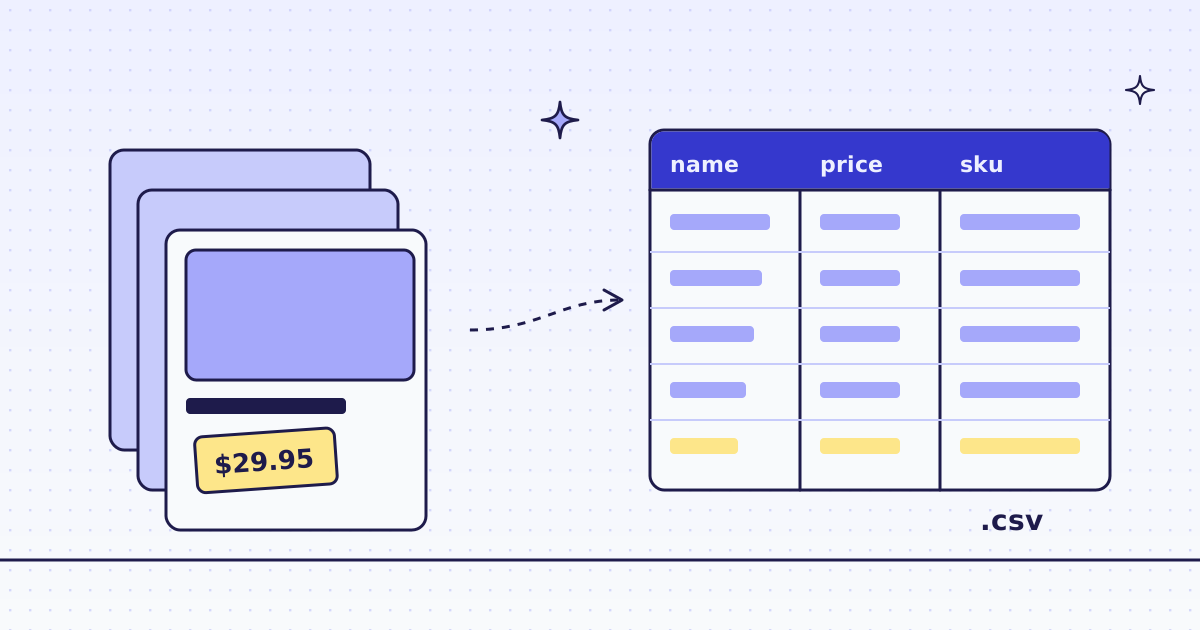
The short answer: do not parse HTML yourself. Send each list page with response_types=json and a few CSS rules in extract. You get JSON back: one object per product, plus the link to the next page. A Python loop of 30 lines follows that link to the end and writes every row with the csv module. On our test store, lab.megalania.io/shop/, that was 8 pages and 72 products, for 16 credits in all: 2 credits per page.
What you need before you start
- A list page: a category, a search result or a shop page, where each item is a card.
- The fields you want from each card. Here: name, price, old price, rating, SKU and link.
- A Megalania key in
MEG_API_KEY. Never put a key in a URL.
Our example is the Lab, a test store we run for exactly this. It is a normal WooCommerce shop with 9 products per page and a “next page” link. Your site will have other class names, but the steps are the same. On any WooCommerce store, try the free Store API first: How to scrape any WooCommerce store.
Check a site first
Before a big run, ask what the site costs. It is free. Over MCP, your agent calls check_site. From cURL:
curl -s -H "Authorization: Bearer $MEG_API_KEY" \
  "https://get.megalania.io/v1/tier?host=lab.megalania.io"
For the Lab, the answer said 1 credit per page on the cheapest route (plain HTTP, datacenter IP). A site that blocks that route costs more: Check a site first explains every field.
Write the CSS rules
Open one list page in your browser and look at one product card with the developer tools. On a WooCommerce store, a card looks like this (shortened):
<li class="product ...">
  <a href="https://lab.megalania.io/product/amber-candle-trio/" class="woocommerce-loop-product__link">
    <h2>Amber Jar Candle Trio</h2>
    <strong class="rating">4.50</strong>
    <span class="price"><del><span class="amount">$42.00</span></del>
      <ins><span class="amount">$29.95</span></ins></span>
  </a>
  <a class="button" data-product_sku="GBR-HOM-031">Add to cart</a>
</li>
Each rule is name:css. @attr reads an attribute, and a * at the end returns every match as a list. li.product{...}* returns one object per card, and the fields inside {} look only inside that card. Every rule form is in Fetch, extract and lists:
items:li.product{name:h2|price:.price > .amount*|was:.price del .amount|now:.price ins .amount|rating:.rating|sku:a.button@data-product_sku|url:a.woocommerce-loop-product__link@href}*|next:a.next@hrefpriceis a list: one amount for a normal product, two for a price range like “$349.00 - $353.00”.wasandnoware filled only when the product is on sale, else they arenull.nextis the link to the next page, ornullon the last page.
A field that is missing in one card is null in that card, so your columns never shift. If a rule matches more than one element with different values, the answer carries a hints list that says which field to narrow.
One page, one request (cURL)
curl -sS -G https://get.megalania.io/v1 \
  -H "Authorization: Bearer $MEG_API_KEY" \
  --data-urlencode "url=https://lab.megalania.io/shop/" \
  --data-urlencode "response_types=json" \
  --data-urlencode "extract=items:li.product{name:h2|price:.price > .amount*|was:.price del .amount|now:.price ins .amount|rating:.rating|sku:a.button@data-product_sku|url:a.woocommerce-loop-product__link@href}*|next:a.next@href"
The answer (shortened to two products):
{
  "items": [
    {"name": "20 cm Chef’s Knife", "price": ["$112.00"], "was": null, "now": null, "rating": "4.67", "sku": "GBR-KIT-023", "url": "https://lab.megalania.io/product/chef-knife/"},
    {"name": "Amber Jar Candle Trio", "price": [], "was": "$42.00", "now": "$29.95", "rating": "4.50", "sku": "GBR-HOM-031", "url": "https://lab.megalania.io/product/amber-candle-trio/"}
  ],
  "next": "https://lab.megalania.io/shop/page/2/"
}
The headers say what happened: X-Credits-Charged: 2, X-Route: http/datacenter.
Python: follow next, write the CSV
The loop asks for one page, adds its rows, and moves to next until there is none. It needs only requests.
import csv
import os
import requests

API = "https://get.megalania.io/v1"
KEY = os.environ["MEG_API_KEY"]
RULES = (
    "items:li.product{name:h2|price:.price > .amount*|was:.price del .amount|now:.price ins .amount"
    "|rating:.rating|sku:a.button@data-product_sku|url:a.woocommerce-loop-product__link@href}*"
    "|next:a.next@href"
)

url = "https://lab.megalania.io/shop/"
rows = []
spent = 0
while url:
    r = requests.get(API, params={"url": url, "response_types": "json", "extract": RULES},
                     headers={"Authorization": f"Bearer {KEY}"}, timeout=120)
    r.raise_for_status()
    spent += int(r.headers["X-Credits-Charged"])
    page = r.json()
    for item in page["items"]:
        price = item["now"] or " - ".join(item["price"])
        rows.append({"name": item["name"], "price": price, "was": item["was"] or "",
                     "rating": item["rating"], "sku": item["sku"], "url": item["url"]})
    url = page["next"]

with open("products.csv", "w", newline="", encoding="utf-8") as f:
    w = csv.DictWriter(f, fieldnames=["name", "price", "was", "rating", "sku", "url"])
    w.writeheader()
    w.writerows(rows)
print(f"{len(rows)} products, {spent} credits")
Run it:
pip install requests
export MEG_API_KEY='meg_sk_...'
python shop_to_csv.py
It printed 72 products, 16 credits. The first lines of products.csv:
name,price,was,rating,sku,url
20 cm Chef’s Knife,$112.00,,4.67,GBR-KIT-023,https://lab.megalania.io/product/chef-knife/
Alpine Down Parka,$349.00 - $353.00,,4.50,GBR-OUT-052,https://lab.megalania.io/product/alpine-down-parka/
Amber Jar Candle Trio,$29.95,$42.00,4.50,GBR-HOM-031,https://lab.megalania.io/product/amber-candle-trio/
Open it in Excel, Google Sheets or pandas. We write UTF-8, so names with accents and quotes stay correct. csv.DictWriter quotes a field with a comma inside it for you.
What it costs
Each list page cost 2 credits: 1 for the page on the datacenter route, and 1 for the JSON output. The 8 pages of the Lab shop cost 16 credits. The price of a page depends on the site and the route that delivered it, so check your own site first. Blocks we detect cost 0, and errors cost 0.
| List pages | Products (9 a page) | Credits on the datacenter route |
|---|---|---|
| 8 | 72 | 16 |
| 100 | 900 | 200 |
| 1,000 | 9,000 | 2,000 |
At 2 credits a page, the 76,000-credit beta grant covers half that many list pages. Plans and prices are on the pricing page.
How we measured: one run on our dev cluster on 16 Nov 2026, the Lab store on our dev domain, every page on http/datacenter.
More pages, or pages that need a browser
- Many list pages at once. If you already know the page URLs (
/shop/page/2/to/shop/page/8/), send them as one batch with the sameextract: Batches. - The page builds its list with JavaScript. The list comes back empty. Send
engine=browser, which costs more: How to scrape JavaScript-rendered pages. - “Load more” buttons. See How to scrape infinite scroll and load-more pages.
Being polite
Fetch public pages only. Do not log in, and do not get past a password. Read the site’s terms and robots.txt, and follow them. Keep your rate low: one page at a time is enough for a few hundred pages. Do not collect personal data.