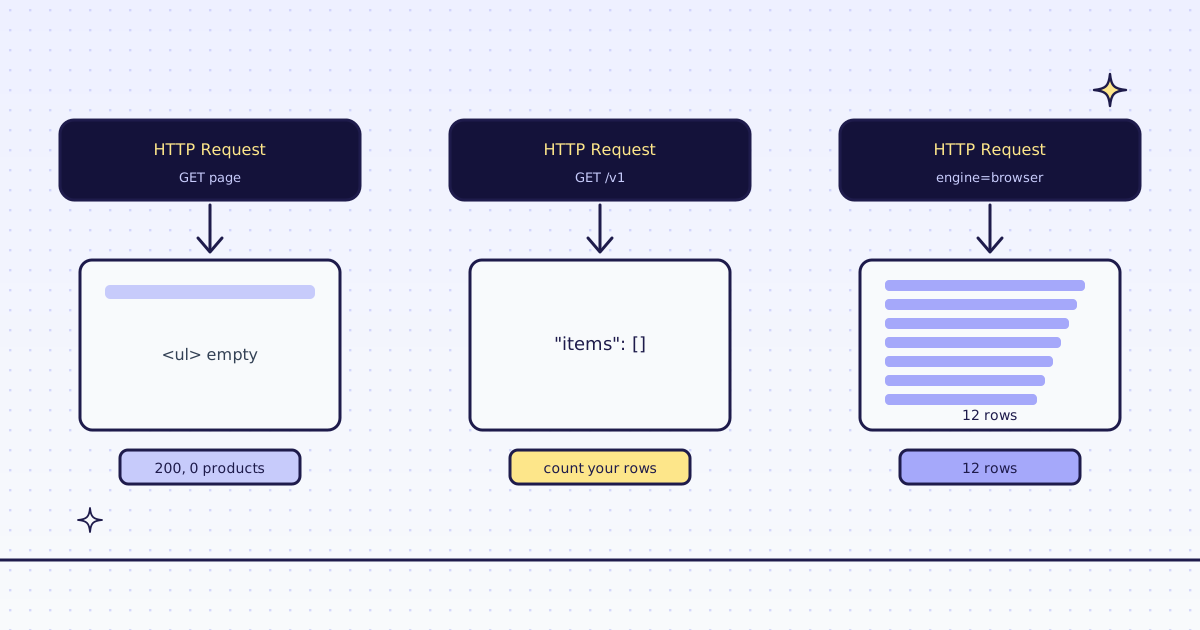
The short answer: the n8n HTTP Request node downloads a page’s HTML. It does not run the page’s JavaScript, so a list a browser draws after loading is empty in n8n, and the node still says 200. To scrape a JavaScript website in n8n, keep the HTTP Request node and point it at our API with engine=browser: a real Chrome on our side loads the page, waits for the list, and returns the items as JSON. On our test store’s new arrivals page, the plain node got 56 KB of HTML and 0 products. The same node through our API in the browser got all 12, for 19 credits.
What the HTTP Request node sees
We ran one workflow in n8n 2.47.7 with three HTTP Request nodes on the same page. The first is a plain GET to the page:
statusCode: 200
data: 56,548 characters of HTML
products in it: 0
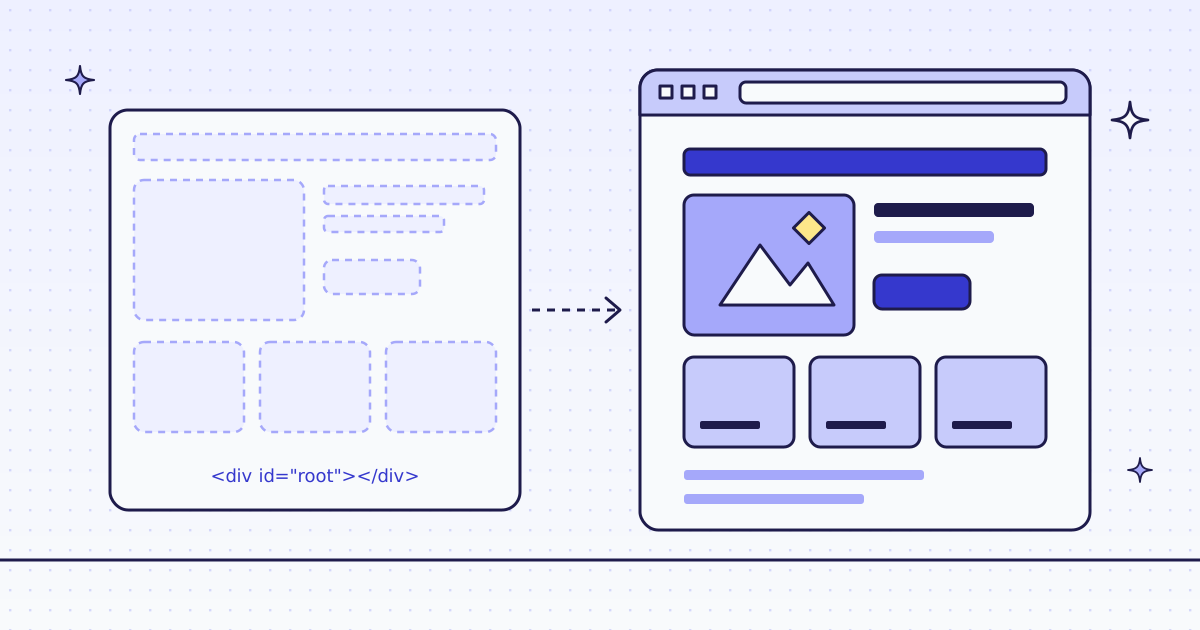
The page is fine. Its list, <ul id="arrivals">, is empty in the HTML. The page’s own script fills it from the store’s API after it loads. n8n does not run that script, so it never sees the products. Nothing fails, nothing warns: a 200 with no data.
The same node, through our API
Change the node to call our API instead, with the page in a url parameter and the fields you want in an extract rule:
| Setting | Value |
|---|---|
| URL | https://get.megalania.io/v1 |
| Authentication | Generic Credential Type → Header Auth: Name Authorization, Value Bearer meg_sk_... |
Query parameter url |
https://lab.megalania.io/new-arrivals/ |
Query parameter response_types |
json |
Query parameter extract |
items:#arrivals li{name:h2|price:.price}* |
The extract rule reads “every li in #arrivals, and in each one the h2 as name and .price as price”. The answer is the fields, not the page.
statusCode: 200
x-route: http/datacenter
x-credits-charged: 2
data.items: []
Still empty, and charged 2 credits. Our first try is plain HTTP too, and our check for JavaScript shells did not flag this page: it has a heading and a paragraph, so it does not look empty. When we do flag a shell, the answer has X-Hint: needs_js and costs nothing. Here we did not, so count your rows in n8n: an IF node on {{ $json.data.items.length }}.
Add two parameters: the browser and a wait
Add two more query parameters to the same node:
| Query parameter | Value |
|---|---|
engine |
browser |
actions |
wait_for:#item-12 |
statusCode: 200
x-route: browser/datacenter
x-credits-charged: 19
data.items: 12 rows
first row: {"name": "20 cm Chef’s Knife", "price": "$112.00"}engine=browserruns a real Chrome on our side, so the page’s script runs and draws the list.actions=wait_for:#item-12waits until the 12th card exists. The list loads after the page’sloadevent; without the wait, the browser can answer before the cards are there.- 19 credits: 15 for the browser route, 1 for the JSON, 3 for the page action.
- The
’in the name is the page’s own. The store’s script puts the name in as text, and a browser shows those characters too. Clean it in n8n with a Set node if you need to:{{ $json.name.replace('’', '’') }}.
To use the rows in the rest of the workflow, add a Split Out node on data.items: one n8n item per product.
How to know a page needs the browser
- Look at the HTML. In your browser, open the page’s source (not the inspector). If the items you see on screen are not in the source, the page draws them with JavaScript.
- Ask first, for free. Our MCP tool
check_sitegives a host’s price for each route, andGET /v1/tier?host=does the same from n8n: 15 credits a page in the browser on our test store, 1 over plain HTTP. - Use the browser only where needed. It costs more. Most pages of most sites work over plain HTTP; send
engine=browseronly for the pages that come back empty.
Make and Zapier
The call is one GET with query parameters and one header, so Make’s HTTP module and Zapier’s Webhooks by Zapier GET action can send it the same way. We tested it in n8n only; check the field names in your tool.
What it costs
| Step | Credits |
|---|---|
| The plain HTTP Request node | 0 with us |
| Our API, plain HTTP, JSON (empty on this page) | 2 |
| Our API in the browser, JSON, one action | 19 |
| A block we detect, or one of our errors | 0 |
These prices are for our test store on the datacenter route. A site that blocks it costs more. All the rules are in Credits. Plans are on the pricing page.
How we measured: n8n 2.47.7 in Docker on 16 Nov 2026, one workflow with the three HTTP Request nodes above, run once against our dev cluster and the Lab store on our dev domain. The key went in as a header parameter; the Header Auth credential sends the same header. The outputs above are copied from that run.
Limits
- An empty list can be a 200. From n8n alone and from us. Count your rows.
- Rules break when the site changes its layout. You get empty or
nullfields, not an error. - Public pages only. We do not log in, and we do not solve CAPTCHAs. When a page needs either, we stop and say so, for free.
The Megalania community node does the same with a form, if your n8n allows community nodes: see Web scraping in n8n without running a browser. More on JavaScript pages in How to scrape JavaScript-rendered pages. Fetch public pages only. Read the site’s terms and robots.txt, and follow them.