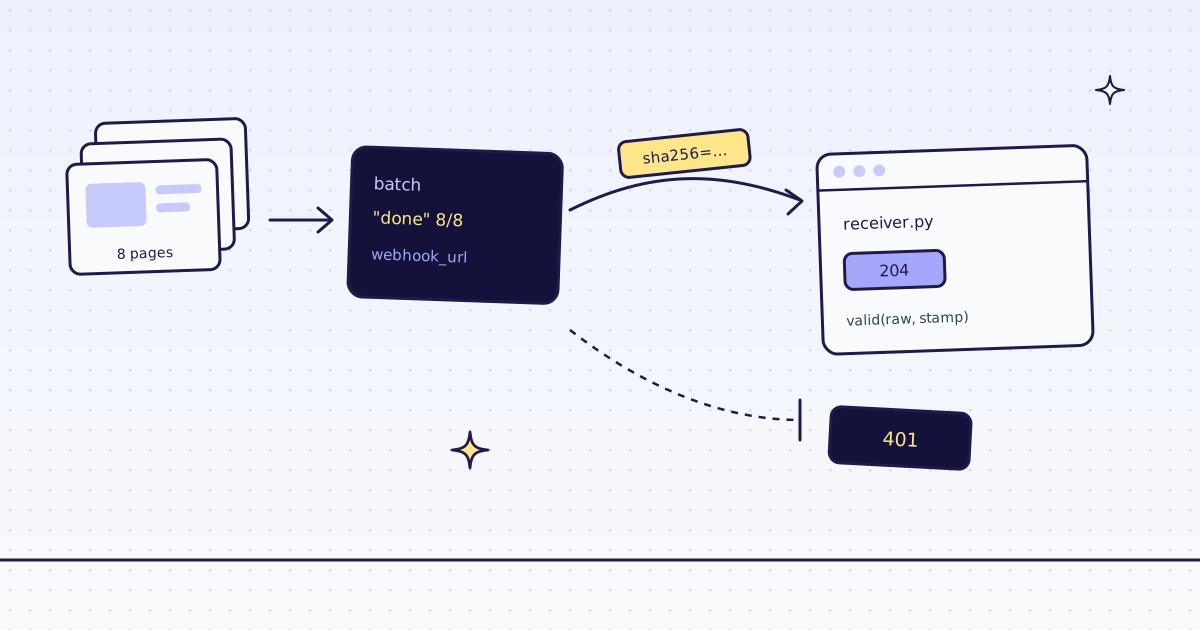
The short answer: a web scraping webhook is a POST we send to your server when a batch finishes, so your code does not have to poll. Add webhook_url to the batch. We sign each call with your webhook secret: check the signature and the time stamp, answer 2xx fast, then read the results. If your server does not answer, we try 5 times in about 2.5 minutes, then mark the webhook dead and you can still read the batch. On our dev cluster, a batch of 8 pages from our test store, lab.megalania.io, cost 16 credits, and the webhook to a server that did not answer was retried at 1, 5, 25 and 125 seconds.
Polling or a webhook
A batch of 8 pages takes seconds. A batch of 10,000 takes a while. Two ways to know it is done:
- Poll.
GET /v1/batches/{id}every few seconds, ormegalania batch waitfrom the command line. Simple, and fine for a script you watch. - A webhook. Your server gets one
POSTwhen the batch is done or failed. Better for a job that runs while nobody watches, and for many batches at once.
The webhook does not carry the results. It says “this batch is finished”; then you read the items.
Send a batch with a webhook URL
import os

import requests

API = requests.Session()
API.headers["Authorization"] = f"Bearer {os.environ['MEG_API_KEY']}"

pages = ["https://lab.megalania.io/shop/"] + [f"https://lab.megalania.io/shop/page/{n}/" for n in range(2, 9)]
for hook in ["https://localhost/megalania", "https://hooks.example.com/megalania"]:
    res = API.post("https://api.megalania.io/v1/batches", json={
        "urls": pages,
        "response_types": "json",
        "extract": "items:li.product{name:h2|price:.price ins .amount, .price > .amount}*",
        "webhook_url": hook,
    }, timeout=60)
print(res.status_code, res.json().get("error", {}).get("field"), res.json().get("status"), res.json().get("item_count"))202 None queued 8 202 None queued 8
- A receiver inside your own network never gets a call.
localhostis a name, so the batch is accepted, but we check the address again at every delivery and refuse it: the deliveries log saysprivatefor each try. A private address written as numbers is refused at submit, a free 400 that nameswebhook_url. hooks.example.comstands in for your server. It does not answer, which is what we wanted to measure: what happens when your receiver is down.- Batches are on
api.megalania.io, single pages onget.megalania.io. The same key works on both.
What we send
One POST, when the batch finishes:
POST /megalania HTTP/1.1
Content-Type: application/json
X-Megalania-Event: batch.completed
X-Megalania-Timestamp: 1757410442
X-Megalania-Signature: sha256=6f1c…9b2a

{"id": "…", "status": "done", "item_count": 8, "done_count": 8, "free_count": 0, "failed_count": 0, "finished_at": "…"}- No result and no URL in the body. Only the batch id and its counts.
- The signature is
sha256=and the HMAC-SHA256 of the time stamp, a dot and the exact body bytes, keyed with your webhook secret. An owner gets the secret once, in the dashboard under Connect, Webhooks, or withPOST /v1/account/webhook-secret/rotate. One secret signs every webhook of the account: batches, monitors and usage alerts.
A web scraping webhook receiver in 40 lines
Python’s standard library is enough. Save it as receiver.py:
import hashlib
import hmac
import json
import os
import time
from http.server import BaseHTTPRequestHandler, HTTPServer

SECRET = os.environ["MEG_WEBHOOK_SECRET"].encode()
seen = set()


def valid(raw, stamp, header):
    if not (stamp.isascii() and stamp.isdigit()) or abs(time.time() - int(stamp)) > 300:
        return False
    mine = "sha256=" + hmac.new(SECRET, stamp.encode() + b"." + raw, hashlib.sha256).hexdigest()
    return any(hmac.compare_digest(mine, part) for part in header.split(","))


class Hook(BaseHTTPRequestHandler):
    def do_POST(self):
        raw = self.rfile.read(int(self.headers.get("Content-Length", 0)))
        if not valid(raw, self.headers.get("X-Megalania-Timestamp", ""), self.headers.get("X-Megalania-Signature", "")):
            self.send_response(401)
            self.end_headers()
            return
        event = json.loads(raw)
        self.send_response(204)
        self.end_headers()
        if event["id"] in seen:
            print("again", event["id"])
            return
        seen.add(event["id"])
        print(self.headers["X-Megalania-Event"], event.get("status", ""), event["id"])

    def log_message(self, *args):
        pass


HTTPServer(("127.0.0.1", 8787), Hook).serve_forever()- Sign the raw bytes.
rawis the body as it arrived. Do not parse it and dump it again: the key order or the spaces can change, and the signature with them. compare_digestcompares in constant time, so the answer time gives nothing away.- Five minutes, either way. A captured call cannot be replayed later: the body of a finished batch never changes, so the time stamp is what makes each call new.
- Split on commas. For 24 hours after you rotate the secret, the header carries two signatures, newest first. Accept the call when one matches, and your receiver keeps working while you swap secrets.
- Answer first, then work. We wait 10 seconds at most. Answer
204, then read the results. seenmakes it safe to get the same call twice. A call can repeat if your answer was lost on the way. In production, keep the ids in your database, not in memory.
Put it behind your own HTTPS: a reverse proxy, or your framework’s server. The webhook URL must be a public address, and HTTPS keeps the signature and the body private on the way.
Test it before we call it
You do not need a batch to test the receiver. This script signs calls the way we do and sends them to localhost:
import hashlib
import hmac
import json
import time
import urllib.request

SECRET = b"a-secret"


def sign(stamp, body, secret=SECRET):
    return "sha256=" + hmac.new(secret, f"{stamp}.".encode() + body, hashlib.sha256).hexdigest()


print(sign(1757410000, b'{"id":"x"}'))


def post(body, stamp, signature, event="batch.completed"):
    req = urllib.request.Request("http://127.0.0.1:8787/hook", data=body, headers={
        "Content-Type": "application/json",
        "X-Megalania-Event": event,
        "X-Megalania-Timestamp": str(stamp),
        "X-Megalania-Signature": signature,
    })
    try:
        return urllib.request.urlopen(req, timeout=5).status
    except urllib.error.HTTPError as e:
        return e.code


now = int(time.time())
done = json.dumps({"id": "0199a1c2-6f31", "status": "done", "item_count": 8, "done_count": 8, "free_count": 0, "failed_count": 0, "finished_at": "2026-11-16T12:44:33Z"}).encode()
print("signed", post(done, now, sign(now, done)))
print("repeat", post(done, now, sign(now, done)))
print("rotated", post(done, now, sign(now, done, b"new-secret") + "," + sign(now, done)))
print("changed body", post(done.replace(b'"done"', b'"failed"'), now, sign(now, done)))
print("old stamp", post(done, now - 600, sign(now - 600, done)))
print("no signature", post(done, now, ""))MEG_WEBHOOK_SECRET=a-secret python receiver.py & python send.py
sha256=755a841263a77562b92d925861239023aeee27be06fc4a6779bb233f9b74e7a5
signed 204
repeat 204
rotated 204
changed body 401
old stamp 401
no signature 401
And the receiver printed:
batch.completed done 0199a1c2-6f31
again 0199a1c2-6f31
again 0199a1c2-6f31
- The first line is the check that matters. Our docs sign the example body
{"id":"x"}at time stamp1757410000with the secreta-secret. The value above is the one our own sending code produces for it, in its test. If yoursignprints the same, your receiver and our sender agree. - A changed body, an old time stamp or no signature are refused with
401. We count that as a failed try and send again. - Once the receiver works, an account member can send it a real signed
testevent:POST /v1/account/webhooks/testwith{"url": "<your https URL>"}, or the dashboard. It is free, at most 5 a minute. Its body is{"id", "event": "test", "created_at"}, withX-Megalania-Event: test.
When your server is down
The hooks.example.com batch above finished in seconds. Its webhook found no server. GET /v1/account/webhooks/deliveries shows every try of the last 7 days, newest first. This script prints the newest batch’s tries, oldest first, then the batch:
import os

import requests

API = requests.Session()
API.headers["Authorization"] = f"Bearer {os.environ['MEG_API_KEY']}"

rows = API.get("https://api.megalania.io/v1/account/webhooks/deliveries", timeout=30).json()["deliveries"]
batch = next(d["subject_id"] for d in rows if d["kind"] == "batch")
for d in reversed(rows):
    if d["subject_id"] == batch:
        print(d["attempt"], d["at"][11:19], d["host"], d["status"], d["error"], d["dead"])
b = API.get(f"https://api.megalania.io/v1/batches/{batch}", timeout=30).json()
print(b["status"], b["webhook_status"], b["counts"]["charged_credits"])1 15:55:18 hooks.example.com None connect False 2 15:55:19 hooks.example.com None connect False 3 15:55:24 hooks.example.com None connect False 4 15:55:49 hooks.example.com None connect False 5 15:57:54 hooks.example.com None connect True done dead 16
- 5 tries, waiting 1, 5, 25 and 125 seconds. After the fifth,
deadistrue, the batch’swebhook_statusisdead, and nothing more is sent. - The batch is fine. It was
donebefore the first try. Read it as usual withGET /v1/batches/{id}/items: the webhook is only a signal. errorsays why a try failed:connect,timeout,privateorrequest.statusis what your server answered, when it answered. A redirect counts as a failure: we do not follow it.- We keep the host only, never the path, the query or the body. You see the last 7 days.
Then read the results
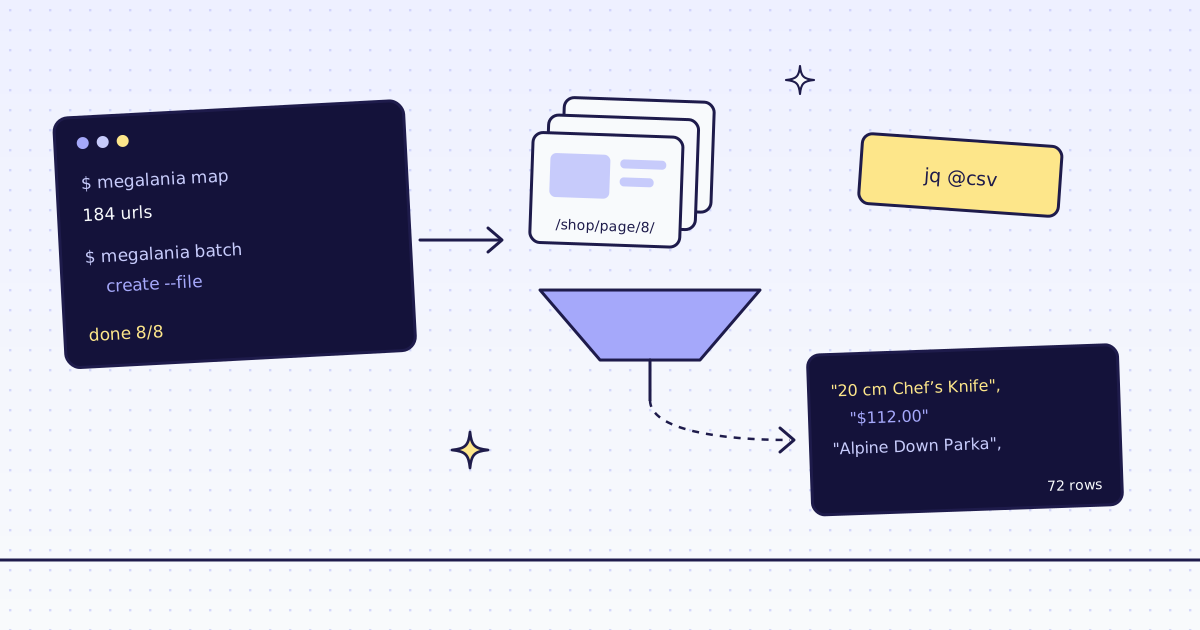
When the call arrives, read the batch’s items. With the CLI, megalania batch results <id> --dir out saves one file per page. In Python, GET /v1/batches/{id}/items lists each page with its status, credits_charged and a result_url to download. How to turn those files into a CSV is in Web scraping from the command line. For pages you watch on a schedule, a monitor sends a webhook with only what changed: see How to monitor a web page for changes.
What it costs
| Step | Credits |
|---|---|
| The batch of 8 shop pages as JSON | 16 |
A batch with a private webhook_url (refused) |
0 |
A signed test event |
0 |
The batch is priced page by page, like single requests: these are the Lab’s prices on the datacenter route. A site that blocks it costs more. All the rules are in Credits. Plans are on the pricing page.
How we measured: our dev cluster on 16 Nov 2026, the Lab store on our dev domain, Python 3.13. We ran submit.py and deliveries.py against dev. The receiver and send.py ran on one machine, on localhost: we did not expose a receiver to the internet for this post. The signature check is tested against the example in our docs and the value our sending code gives for it.
Limits
- One call per batch, at the end. An item that finishes is not an event. For progress, read the batch.
- A delivery can come twice. Treat the batch
idas the key. - The receiver must be public, and it must answer within 10 seconds.
- The webhook says the batch is done, not that every page worked. Check
done_count,free_countandfailed_count, then the items.
Every webhook rule is in Batches. Fetch public pages only. Read the site’s terms and robots.txt, and follow them.