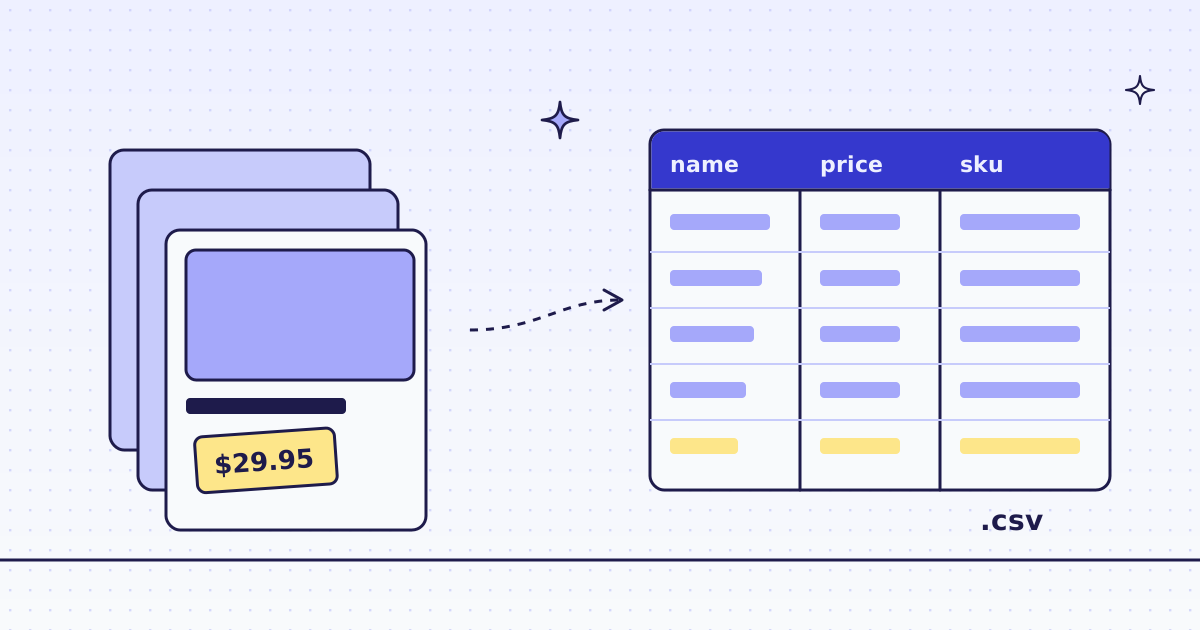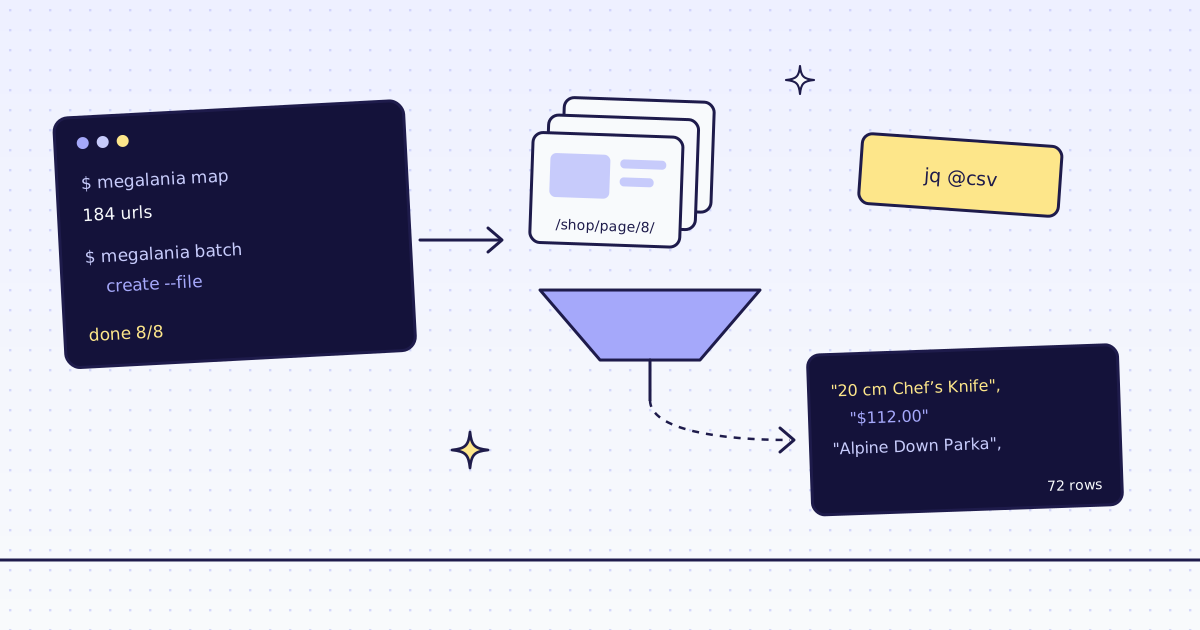
The short answer: for web scraping from the command line, you need no script. curl sends one page to GET /v1 and gets Markdown or JSON fields back, and jq shapes the JSON. For more than a few pages, the megalania CLI lists a site’s URLs, sends them as one batch, waits, and saves the results. On our test store, lab.megalania.io, the site map found 184 URLs for 4 credits. A batch of the 8 shop pages gave 72 products in a CSV file for 16 to 23 credits.
One page with curl
-G with --data-urlencode puts each parameter in the query string and encodes it for you. The key goes in a header, never in the URL:
export MEG_API_KEY='meg_sk_...'
curl -sG "https://get.megalania.io/v1" \
  -H "Authorization: Bearer $MEG_API_KEY" \
  --data-urlencode "url=https://lab.megalania.io/shop/" \
  --data-urlencode "response_types=json" \
  --data-urlencode "extract=items:li.product{name:h2|price:.price ins .amount, .price > .amount}*" \
  -D headers.txt | jq -c '.items[:2]'
grep -i -E "^x-(credits-charged|route)" headers.txt[{"name":"20 cm Chef’s Knife","price":"$112.00"},{"name":"Alpine Down Parka","price":"$349.00"}]
x-credits-charged: 2
x-route: http/datacenterextractis a list of CSS rules.items:li.product{...}*means “every product card, and in each one the name and the price”. The answer is the fields as JSON, not the page.- The price rule reads the sale price. A product on sale has the old price in
<del>and the new one in<ins>..price ins .amount, .price > .amountpicks the one a shopper pays. -D headers.txtsaves the response headers.x-credits-chargedis what the call cost: 1 for the page and 1 for the JSON.x-routesays we got it over plain HTTP on a datacenter IP.- Errors are JSON and free. A typo like
response_types=markdwnis a 400 with"field": "response_types", and nothing is charged.
Want the page as text for a model? Use response_types=markdown and leave out extract. Every parameter is in Fetch, extract and lists.
The megalania CLI
curl is fine for one page. For a site, the CLI saves the loop:
pipx install megalania
export MEG_API_KEY='meg_sk_...'
- The key is read only from
MEG_API_KEY, never from a flag, so it does not end up in your shell history. - The body goes to stdout, and the cost goes to stderr. So
megalania scrape ... | jqgets only the JSON.
First, what does a host cost? tier answers for free:
megalania tier lab.megalania.io | jq -c '.quotes'
{"browser":15,"browser_residential":32,"datacenter":1,"residential":8}1 credit a page over plain HTTP, 15 in a browser. Then one page, as Markdown:
megalania scrape https://lab.megalania.io/faq/ --response-types markdown | head -4
credits_charged=1 request_id=...
# FAQ

Is this a real shop?
The first line is stderr; the rest is the page.
Every URL on a site
map reads the site’s sitemaps and the links on its start page:
megalania map https://lab.megalania.io/ > urls.json
jq '.urls | length' urls.json
jq -r '.urls[:3][].url' urls.json
184
https://lab.megalania.io/how-to-pitch-a-tent-in-the-rain/
https://lab.megalania.io/campfire-coffee-three-ways/
https://lab.megalania.io/seasoning-cast-iron/
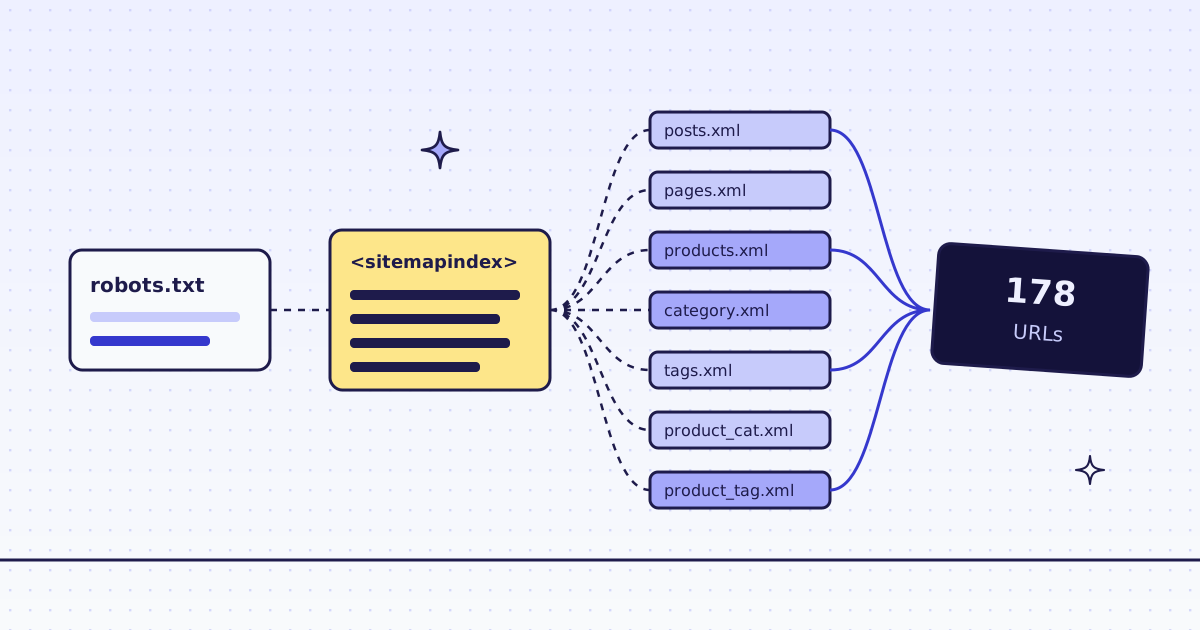
184 URLs for 4 credits: 178 from the sitemap and 6 from links on the home page. Each URL has a source, so jq '[.urls[].source] | group_by(.)' shows where they came from. Filter them with jq and grep before you send a batch. More on sitemaps in How to scrape every URL from a sitemap.
A batch to CSV
The shop has 8 list pages. Write them to a file, one URL a line, and send them as one batch with the same rule as before:
{ echo "https://lab.megalania.io/shop/"; for n in $(seq 2 8); do echo "https://lab.megalania.io/shop/page/$n/"; done; } > pages.txt

megalania batch create --file pages.txt --response-types json \
  --json '{"extract":"items:li.product{name:h2|price:.price ins .amount, .price > .amount}*"}' > batch.json
B=$(jq -r .id batch.json)
megalania batch wait "$B" | jq -c '{status, done: .counts.done, credits: .counts.charged_credits}'
megalania batch results "$B" --dir out
jq -r '.items[] | [.name, .price] | @csv' out/* > products.csv
wc -l products.csv; head -3 products.csv{"status":"done","done":8,"credits":23}
8 results in out
72 products.csv
"20 cm Chef’s Knife","$112.00"
"Alpine Down Parka","$349.00"
"Amber Jar Candle Trio","$42.00"--jsontakes any field of the request that has no flag of its own, hereextract.batch waitpolls until the batch is done.batch resultssaves one JSON file per page inout/.@csvinjqquotes each field, so a comma in a product name does not break the file.- Each page is priced on its own. 7 pages cost 2 credits each. One page timed out on the datacenter route, so we climbed to residential: that page cost 9, and the batch 23. When every page works on the datacenter route, the batch is 16. You pay only for the route that worked, and the failed try is free.
GET /v1/batches/{id}/itemsshows each page’scredits_chargedand itshops.
Some result files also carry a hints line: “field items.price matches more than one element with different values in 3 of 9 rows”. Those are products with a price range, like “$20.00 – $30.00”: the rule reads the first price, the lowest. Narrow the selector if you need both. The rule syntax, and the same job in Python, are in How to scrape a website to CSV.
What it costs
| Step | Pages | Credits |
|---|---|---|
tier for a host |
— | 0 |
| One page as Markdown | 1 | 1 |
| One page as JSON fields | 1 | 2 |
| The site map, 184 URLs | — | 4 |
| The batch of 8 shop pages as JSON | 8 | 16, or 23 when one page climbs to residential |
| The same page and settings again within 5 minutes (cache), as JSON | 1 | 1 |
| A bad parameter, a block we detect or one of our errors | — | 0 |
These prices are for the Lab on the datacenter route. A site that blocks it costs more, and tier tells you how much before you pay. All the rules are in Credits. Plans are on the pricing page.
How we measured: our dev cluster on 16 Nov 2026, the Lab store on our dev domain, the megalania CLI 0.3.0 on Python 3.13, curl and jq 1.7. We ran every command above, then the curl call again within 5 minutes: it came from the cache, for 1 credit. We ran the batch three times. Once every page worked on the datacenter route, for 16 credits. Twice one page timed out there and climbed to residential, for 23.
Limits
- Rules break when the site changes its layout. You get
nullfields, not an error. Check a few rows after a redesign. - A batch runs 5 pages at once on a beta account. A bigger list just takes longer.
- Too many requests running at once is a 429
over_concurrency, with aRetry-Afterheader. Wait that long before you try again. It is not charged. - We read public pages only. No logins and no CAPTCHA solving. When a page needs either, we stop and say so, for free.
All the commands and flags are in Command line. Fetch public pages only. Read the site’s terms and robots.txt, and follow them.