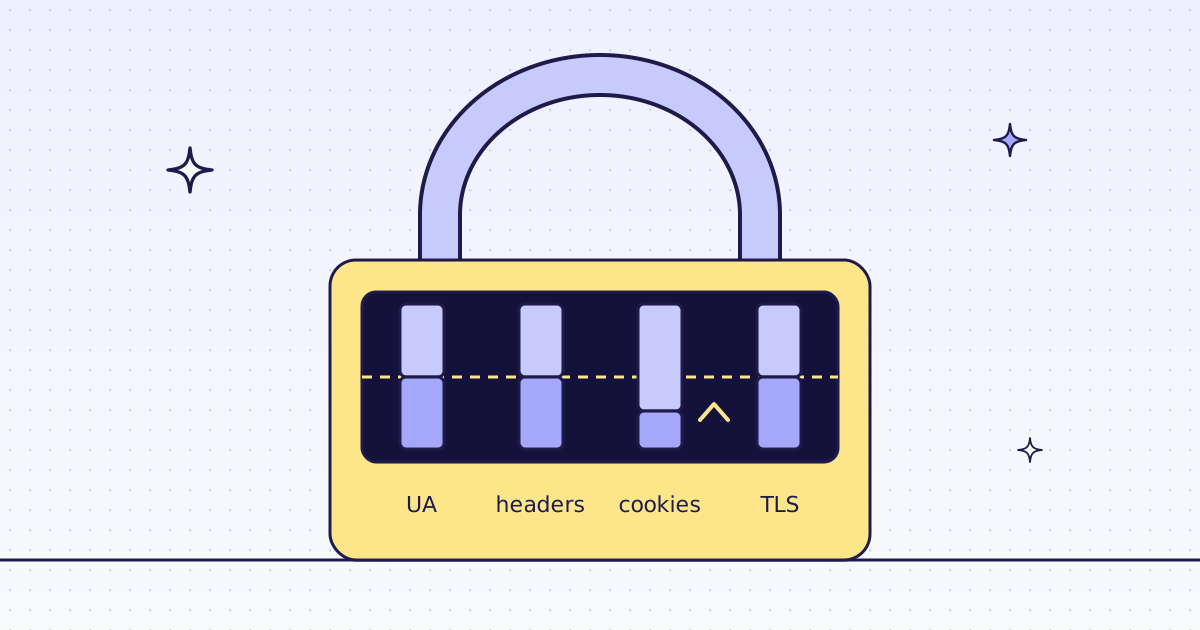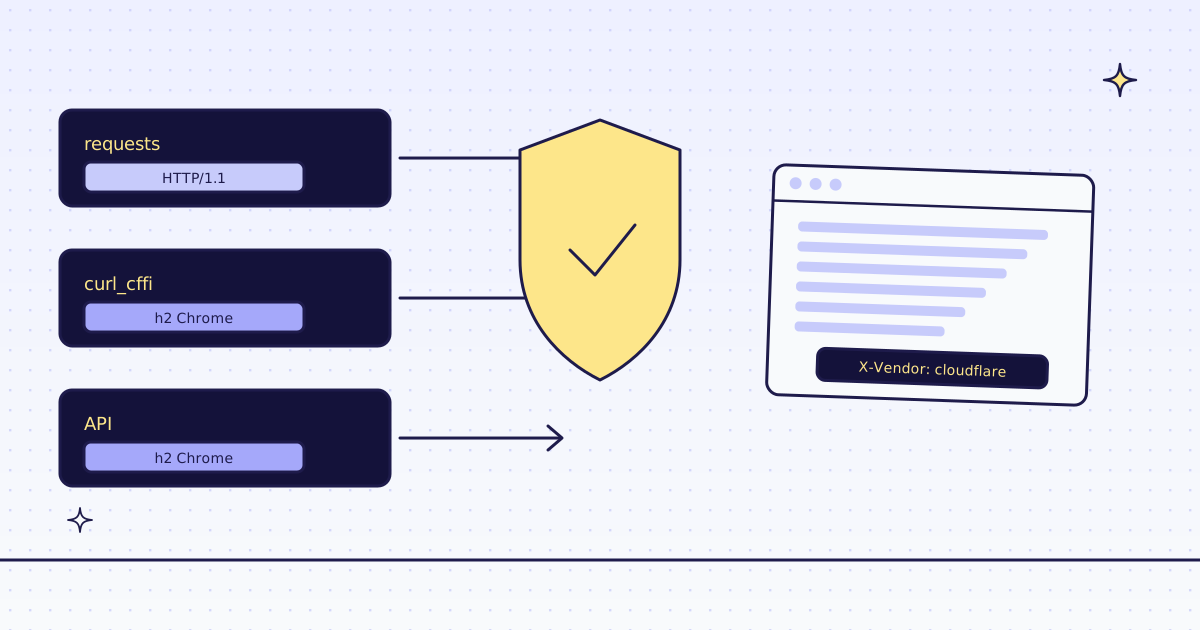
The short answer: “behind Cloudflare” can mean almost nothing or a lot. Many sites use Cloudflare only as a CDN, and a plain Python request works. Others turn on bot rules, which look at your IP’s reputation, your TLS and HTTP/2 fingerprint, your headers, and sometimes run a JavaScript challenge or an interactive Turnstile check. From Python: requests fails the fingerprint check because it does not look like a browser; curl_cffi with impersonate="chrome" passes that part for free; a JavaScript challenge needs a real browser; a bad IP needs a better one; and an interactive check (or a login) is a wall we do not climb either. We measured what each client looks like on the wire. We publish no “works on X% of sites” number: it depends on each site’s own rules, and those change.
What Cloudflare can check
A site owner chooses the rules, so two Cloudflare sites can behave very differently. The common checks:
- IP reputation. Datacenter IPs are suspect on many sites; home (residential) IPs less so.
- TLS and HTTP/2 fingerprint. The order of ciphers and extensions in your TLS hello, and your HTTP/2 settings. A Python client looks like Python, not like Chrome, whatever
User-Agentyou send. - Headers. The set and order a real browser sends.
- A JavaScript challenge. A page that runs a script in your browser and sets a cookie. A client that does not run JavaScript never gets past it.
- An interactive check (Turnstile) or a CAPTCHA. Meant for a person.
- Rate limits. Too many requests from one IP get a 429 or a block.
What your client looks like: measured
We sent the same request to a public TLS echo, https://tls.peet.ws/api/clean, which answers with the fingerprint it saw:
import requests
from curl_cffi import requests as cr

for name, get in [("requests", lambda u: requests.get(u, timeout=20)), ("curl_cffi chrome", lambda u: cr.get(u, impersonate="chrome", timeout=20))]:
    j = get("https://tls.peet.ws/api/clean").json()
print(name, j["ja4"], j["akamai_hash"], j["http_version"])pip install requests curl_cffi python fingerprint.py
requests t13d3013h1_1d37bd780c83_8537cf56674e - HTTP/1.1
curl_cffi chrome t13d1517h2_8daaf6152771_cb7bf5808d99 52d84b11737d980aef856699f885ca86 h2
requestsspeaks HTTP/1.1 with Python’s TLS hello. Its JA4 fingerprint (t13d3013h1_...) is not a browser’s. A bot rule that checks fingerprints sees that at once.curl_cffiwithimpersonate="chrome"speaks HTTP/2 with Chrome’s TLS hello and Chrome’s HTTP/2 settings (theakamai_hash). For the fingerprint check, that is the fix, and it is free.
Then we asked our API to fetch the same echo, once over plain HTTP and once in a real Chrome:
http/datacenter    identity chrome   1 credit    t13d1517h2_8daaf6152771_cb7bf5808d99  52d84b11737d980aef856699f885ca86  h2
browser/datacenter identity chrome  15 credits   t13d1517h2_8daaf6152771_cb7bf5808d99  52d84b11737d980aef856699f885ca86  h2
Same fingerprint as curl_cffi, on both routes. So, honestly: for the fingerprint alone, you do not need us. curl_cffi does it on your own machine. What a scraping API adds is the rest: other IPs, a real browser for JavaScript challenges, and the decision of when to use which.
A Cloudflare site with no bot rule
Our test store, lab.megalania.io, is behind Cloudflare, with no bot rule. All three ways got the page:
import os

import requests
from curl_cffi import requests as cr

URL = "https://lab.megalania.io/faq/"

r = requests.get(URL, timeout=30)
print("requests ", r.status_code, r.headers.get("server"))
c = cr.get(URL, impersonate="chrome", timeout=30)
print("curl_cffi", c.status_code, c.headers.get("server"))
m = requests.get("https://get.megalania.io/v1", params={"url": URL, "response_types": "text", "max_age": 0}, headers={"Authorization": f"Bearer {os.environ['MEG_API_KEY']}"}, timeout=120)
print("megalania", m.status_code, m.headers.get("X-Vendor"), m.headers.get("X-Route"), m.headers.get("X-Identity"), m.headers.get("X-Credits-Charged"))requests 200 cloudflare curl_cffi 200 cloudflare megalania 200 cloudflare http/datacenter chrome 1
server: cloudflaretells you the site is behind Cloudflare, not that it blocks you.- Our
X-Vendorheader names the anti-bot vendor we saw on the page, even when it let us through. A copy from our 5-minute cache does not carry it today, somax_age: 0above asks for a fresh fetch. When a vendor does block us,X-Challengenames it, and the answer is a free 422blocked. - So try the free way first. If
requestsgets your page, you are done. If it gets a 403 or a challenge page, trycurl_cffi.
What works, and what does not
| The site checks | requests |
curl_cffi (chrome) |
A scraping API like ours |
|---|---|---|---|
| Nothing (CDN only) | Works | Works | Works, 1 credit a page on our cheapest route |
| TLS / HTTP/2 fingerprint | Blocked | Passes | Passes (the same fingerprint) |
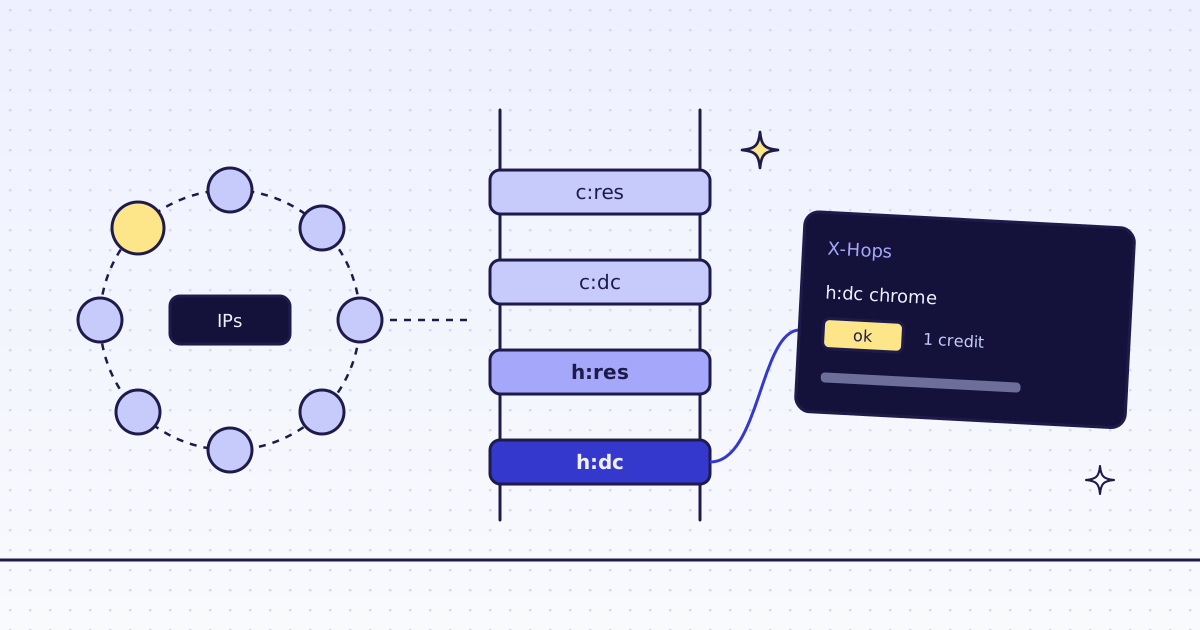
| Datacenter IPs | Blocked | Blocked from a datacenter | Climbs to a residential IP (8 credits a page on our test store) |
| A JavaScript challenge | Blocked | Blocked | Climbs to a real Chrome (15 credits a page on our test store) |
| Interactive Turnstile or a CAPTCHA | Blocked | Blocked | Blocked. We do not solve them. We stop and say so, for free. |
| A login | — | — | No. We read public pages only. |
| Too many requests | 429 | 429 | 429 too: we space a batch’s requests, and a 429 from us is free |
What the API column means in practice: every page starts on the cheapest route, and we move up only when the site blocks us. A block we detect costs nothing, so you pay for the route that worked. X-Hops lists every try. Our MCP tool check_site shows a host’s prices for free before you start.
What it does not mean: that every Cloudflare site works. Some sites block everything that is not a person. When we cannot get a page, the answer says so, and it is free.
What it costs
| Step | Credits |
|---|---|
requests or curl_cffi on your own machine |
0 with us |
| A page through our API, plain HTTP, datacenter | 1 on our test store |
| The same in a real Chrome | 15 on our test store |
| A block we detect, or one of our errors | 0 |
Each site can have its own price; check_site shows it. All the rules are in Credits. Plans are on the pricing page.
How we measured: one server on 16 Nov 2026, Python 3.13, requests 2.34.2 and curl_cffi 0.17.0, against a public TLS echo and against our test store on our dev domain; our API calls ran on our dev cluster. The fingerprints above are copied from those runs. We did not test any third-party site behind a bot rule for this post.
Limits
- Read the site’s terms. A bot rule is the site saying how it wants to be used. A 403 is sometimes a no.
- Fingerprints change. Browsers update their TLS hello;
curl_cffiand we follow them, so keep your packages current. - Public pages only. No logins, no CAPTCHA solving, no paywalls.
Why sites send 403, and the other fixes, are in Why your scraper gets 403 Forbidden. When residential IPs are worth it is in Rotating proxies for web scraping. Fetch public pages only, and follow the site’s terms and robots.txt.