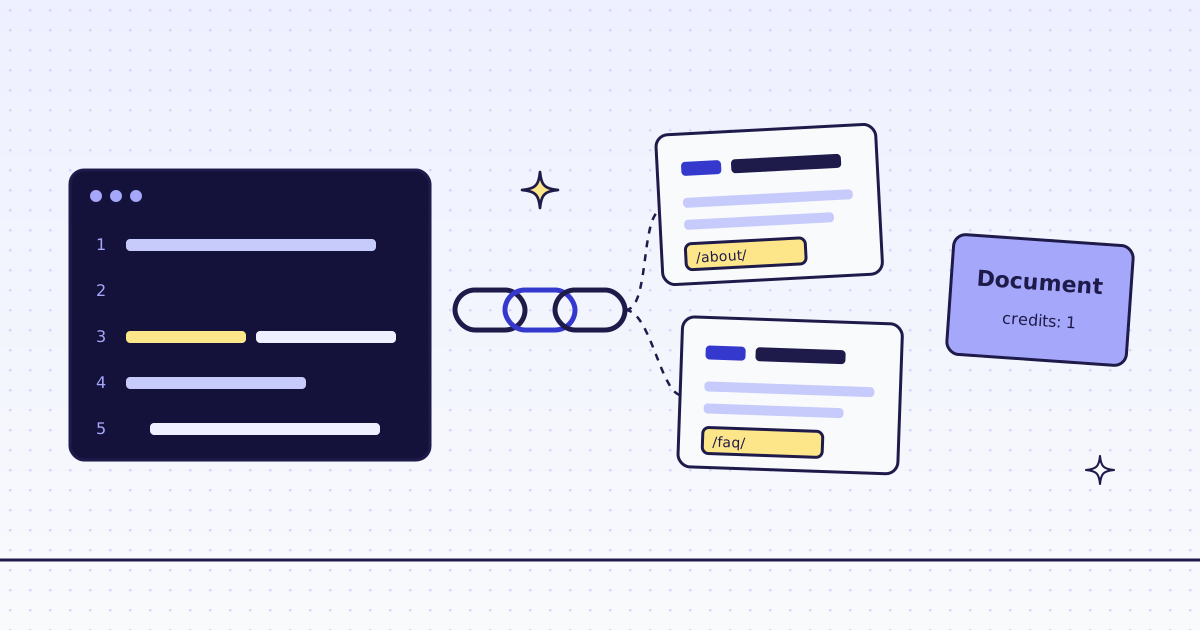
The short answer: for LangChain web scraping, pip install langchain-megalania and call MegalaniaLoader(urls).load(). Each page comes back as one LangChain Document with the page as clean Markdown, and its cost and status in the metadata. On our test store, lab.megalania.io, the About and FAQ pages loaded in 5 lines, for 1 credit each. For an agent, megalania_tools() gives it five tools, with a cap on what one page may cost.
The free way first
LangChain has a loader for plain pages: WebBaseLoader in langchain-community. It downloads the HTML and keeps the text.
from langchain_community.document_loaders import WebBaseLoader

docs = WebBaseLoader(["https://lab.megalania.io/about/", "https://lab.megalania.io/faq/"]).load()
for d in docs:
    print(d.metadata["source"], len(d.page_content))
It works on the Lab. But the text is the whole page: on the FAQ page, 154 of its 235 lines were empty, and the first question came after 569 characters of title, menu and search box. You clean that up yourself before it goes to a model.
Use our loader when you want the main content as Markdown, when a site blocks plain requests, or when a page needs a browser.
Web scraping with LangChain in 5 lines
pip install langchain-megalania
export MEG_API_KEY='meg_sk_...'
from langchain_megalania import MegalaniaLoader

docs = MegalaniaLoader(["https://lab.megalania.io/about/", "https://lab.megalania.io/faq/"]).load()
for d in docs:
    print(d.metadata["source"], d.metadata["credits_charged"], d.metadata["target_status"], len(d.page_content))
print(docs[1].page_content[:400])
What it printed:
https://lab.megalania.io/about/ 1 200 1265
https://lab.megalania.io/faq/ 1 200 1127
# FAQ

Is this a real shop?

No. Gibber & Co. is a demo store by Megalania for testing web scraping. Nothing here is for sale. Checkout is switched off and no payment can be made.

How long does delivery take?

Standard delivery takes 3 to 5 working days. See [Shipping](https://lab.megalania.io/shipping/) for all options.

Can I return something?

Yes, within 60 days if it is unused. See [Returns]
page_contentis Markdown: the heading, the text and the links, without the menu. The FAQ page is 1,127 characters here, against 2,153 from the free loader.- The metadata has
source,request_id,credits_chargedandtarget_status. - The key comes from
MEG_API_KEY.
Any key of the request body works as a keyword, for example country_code="DE" or response_types="text". A blocked page raises MegalaniaError with code blocked, and it is free. With continue_on_failure=True the loader logs the code and the request id, skips the page, and goes on.
A whole site, split for RAG
Pass one start page and crawl. The loader runs a crawl as a batch, waits for it, and gives one document per page it reached, with source, depth and target_status. Then split the Markdown at its headings.
pip install langchain-text-splitters
from langchain_megalania import MegalaniaLoader
from langchain_text_splitters import MarkdownHeaderTextSplitter

docs = MegalaniaLoader("https://lab.megalania.io/journal/", crawl={"max_pages": 10, "max_depth": 1}).load()
print(len(docs), "pages")
for d in docs[:3]:
    print(" ", d.metadata["source"], d.metadata["depth"], d.metadata["target_status"])

splitter = MarkdownHeaderTextSplitter([("#", "h1"), ("##", "h2")])
chunks = [c for d in docs for c in splitter.split_text(d.page_content)]
print(len(chunks), "chunks")
What it printed:
10 pages
  https://lab.megalania.io/journal/ 0 200
  https://lab.megalania.io/ 1 200
  https://lab.megalania.io/shipping/ 1 200
77 chunks
10 pages, 10 credits, in about 10 seconds. Look at depth 1: the crawl reached the home page and the shipping page before the journal posts, because the menu links come first on the page. If you want only some pages, list the site first and load the URLs you pick: How to scrape every URL from a sitemap. For chunking and embedding a docs site, see Crawl a docs site into Markdown for RAG.
Tools for a LangChain agent
megalania_tools() returns five tools: scrape, extract, map_site, create_batch and get_batch. Their inputs use the same names as the API. You can call them yourself to see what the agent will see:
from langchain_megalania import megalania_tools

tools = megalania_tools(max_credits=8, max_pages=20)
print([t.name for t in tools])

scrape = tools[0]
print(scrape.invoke({"url": "https://lab.megalania.io/faq/"})[-90:])

map_site = tools[2]
print(map_site.invoke({"url": "https://lab.megalania.io/", "search": "/product-category/"})[:160])
What it printed:
['scrape', 'extract', 'map_site', 'create_batch', 'get_batch']
nd no order history.


[credits_charged=1 request_id=01a1e2d8-4208-75d3-8f5d-a98fda8d7416]
{"truncated": false, "urls": [{"source": "sitemap", "url": "https://lab.megalania.io/product-category/camping/"}, {"source": "sitemap", "url": "https://lab.mega
scrape returns the page as Markdown and ends with what it cost, so the model can see its own spend. Then give the tools to any LangChain agent:
pip install langchain
from langchain.agents import create_agent
from langchain_megalania import megalania_tools

agent = create_agent("openai:gpt-5", tools=megalania_tools(max_credits=8, max_pages=20))
agent.invoke({"messages": [{"role": "user", "content": "What is the return policy at https://lab.megalania.io/faq/?"}]})
The cap: what an agent may spend
An agent chooses its own calls, so the limits are yours, not the model’s. You set them when you create the tools, and the agent can raise neither.
max_creditsis the most one page may cost. The default, 128, covers every route. Withmax_credits=8, we skip any route above 8 credits for that page; when no route is left, the tool returnsmax_credits_too_low, before any try, for free. A page whose bytes would cost more comes back cut, with a note that says so.max_pagesis the most pages onecreate_batchcall may take, 100 by default. We asked for 25 URLs withmax_pages=20, and the tool refused at once: “too_many_pages: 25 URLs is above max_pages=20”.max_chars(100,000 by default) cuts what a tool returns, so one page cannot fill the context.
max_credits is per page, so one batch can cost up to max_credits times its pages. All the rules are in Credits.
What it costs
| Step | Pages | Credits |
|---|---|---|
MegalaniaLoader on About and FAQ |
2 | 2 |
A crawl from the journal page, max_pages 10 |
10 | 10 |
The scrape tool on the FAQ page |
1 | 1 |
A map of the site (map_site) |
— | 4 |
| A blocked page or one of our errors | — | 0 |
These prices are for this site on the datacenter route. A site that blocks it costs more. Check yours first with GET /v1/tier?host=... or the MCP tool check_site; both are free. Plans are on the pricing page.
How we measured: our dev cluster on 16 Nov 2026, the Lab store on our dev domain, langchain-megalania 0.2.0 from PyPI, one run of each script above. The tools were called directly; the agent’s model call needs your own model key, and we did not run it for this post.
LangChain.js
There is no separate JavaScript package. Connect our MCP server with @langchain/mcp-adapters; Give your AI agent web access with an MCP server shows what the tools do. The setup is in LangChain.
Limits
- Python 3.10 or newer for the package.
- A crawl follows links in page order. Menus come first. Map the site and pick URLs when you need only some pages.
- Blocked pages are not content. A page we could not get raises
MegalaniaError, free. Usecontinue_on_failure=Truein a long list.
Fetch public pages only. Read the site’s terms and robots.txt, and follow them.