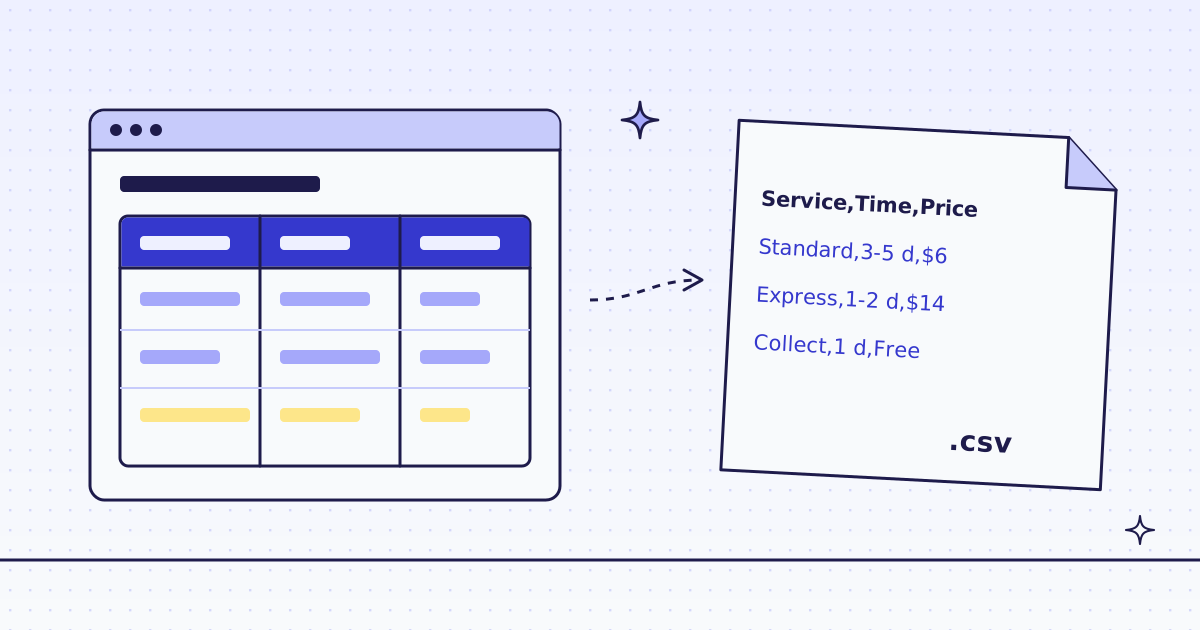
The short answer: two CSS rules read any HTML table. head:table thead th* returns the header cells, and rows:table tbody tr{cells:td*}* returns each row as a list of cells. Send them in extract with response_types=json, and Python’s csv module writes the file. On our test store’s shipping page that was one request for 2 credits. For tables that are spread over many pages, like the spec table on every product page, read each page with a name and value rule and write one wide CSV. Nine products cost 20 credits.
The free way first: pandas
If you can already download the page yourself, you do not need us. pandas.read_html finds every <table> in an HTML string and returns a DataFrame:
from io import StringIO
import pandas as pd
import requests

html = requests.get("https://lab.megalania.io/shipping/", timeout=30).text
pd.read_html(StringIO(html))[0].to_csv("shipping.csv", index=False)
It needs pip install pandas lxml. Use it when the site answers plain requests. Use an API when the site blocks your requests, when you need many pages, or when you want only the cells and not the whole page in memory.
Look at the table
Open the page and look at the table with your browser’s developer tools. The Lab’s shipping table is a normal table with a header row:
<table>
  <thead><tr><th>Service</th><th>Time</th><th>Price</th></tr></thead>
  <tbody>
    <tr><td>Standard</td><td>3 to 5 working days</td><td>$6.00, free over $75</td></tr>
    <tr><td>Express</td><td>1 to 2 working days</td><td>$14.00</td></tr>
    <tr><td>Collect in store</td><td>Ready the next working day</td><td>Free</td></tr>
  </tbody>
</table>
Two rules read it:
head:table thead th*|rows:table tbody tr{cells:td*}*head:table thead th*returns the text of every header cell, as a list.rows:table tbody tr{...}*returns one object per row. Inside{},cells:td*is the list of cells in that row only.
If a page has more than one table, make the selector more exact, for example table.prices or #rates table. Every rule form is in Fetch, extract and lists.
One table, one request (cURL)
curl -sS -G https://get.megalania.io/v1 \
  -H "Authorization: Bearer $MEG_API_KEY" \
  --data-urlencode "url=https://lab.megalania.io/shipping/" \
  --data-urlencode "response_types=json" \
  --data-urlencode "extract=head:table thead th*|rows:table tbody tr{cells:td*}*"
The answer:
{
  "head": ["Service", "Time", "Price"],
  "rows": [
    {"cells": ["Standard", "3 to 5 working days", "$6.00, free over $75"]},
    {"cells": ["Express", "1 to 2 working days", "$14.00"]},
    {"cells": ["Collect in store", "Ready the next working day", "Free"]}
  ]
}
It cost 2 credits: 1 for the page on the datacenter route, 1 for the JSON output. The headers say so: X-Credits-Charged: 2, X-Route: http/datacenter.
Tables on many pages: one wide CSV
Product pages often have a spec table with two columns: a name and a value. On the Lab, a tent has “Sleeps” and “Packed weight”, and a stove has “Fuel” and “Boil time”. Each page has its own rows, so you cannot just stack the tables. Read each one as name and value pairs, then make one column per name:
name:h1|specs:table.woocommerce-product-attributes tr{name:th|value:td}*For the tent, that answers:
{"name": "Foxglove 2-Person Tent", "specs": [
  {"name": "Sleeps", "value": "2"},
  {"name": "Packed weight", "value": "2.1 kg"},
  {"name": "Floor", "value": "213 x 132 cm"},
  {"name": "Peak height", "value": "104 cm"},
  {"name": "Fly", "value": "20D ripstop nylon, 3000 mm coating"},
  {"name": "Poles", "value": "7000-series aluminium"}
]}
Python: both tables to CSV
The script writes shipping.csv from the shipping table. Then it reads the product links on the first page of the Camping category, reads each product’s spec table, and writes specs.csv with one row per product and one column per spec name.
import csv
import os
import requests

API = "https://get.megalania.io/v1"
HEADERS = {"Authorization": f"Bearer {os.environ['MEG_API_KEY']}"}


def fields(url, rules):
    r = requests.get(API, params={"url": url, "response_types": "json", "extract": rules},
                     headers=HEADERS, timeout=120)
    r.raise_for_status()
    return r.json(), int(r.headers["X-Credits-Charged"])


page, spent = fields("https://lab.megalania.io/shipping/", "head:table thead th*|rows:table tbody tr{cells:td*}*")
with open("shipping.csv", "w", newline="", encoding="utf-8") as f:
    w = csv.writer(f)
    w.writerow(page["head"])
    w.writerows(row["cells"] for row in page["rows"])

cards, cost = fields("https://lab.megalania.io/product-category/camping/",
                     "urls:li.product a.woocommerce-loop-product__link@href*")
spent += cost
rows = []
for url in cards["urls"]:
    product, cost = fields(url, "name:h1|specs:table.woocommerce-product-attributes tr{name:th|value:td}*")
    spent += cost
    rows.append({"name": product["name"], **{s["name"]: s["value"] for s in product["specs"]}})

columns = ["name"] + sorted({k for row in rows for k in row} - {"name"})
with open("specs.csv", "w", newline="", encoding="utf-8") as f:
    w = csv.DictWriter(f, fieldnames=columns, restval="")
    w.writeheader()
    w.writerows(rows)
print(f"{len(rows)} products, {len(columns) - 1} spec columns, {spent} credits")
Run it:
pip install requests
export MEG_API_KEY='meg_sk_...'
python table_to_csv.py
It printed 9 products, 29 spec columns, 20 credits. shipping.csv:
Service,Time,Price
Standard,3 to 5 working days,"$6.00, free over $75"
Express,1 to 2 working days,$14.00
Collect in store,Ready the next working day,Free
The csv module put quotes around “$6.00, free over $75” because it has a comma inside. Do not join cells with "," by hand: that breaks on the first comma in a cell.
In specs.csv, a product that has no “Fuel” row gets an empty cell under “Fuel”. restval="" does that. Nine camping products had 29 different spec names in all, so most rows are mostly empty. That is normal for spec tables. Pick the columns you need before you share the file.
What it costs
| Step | Requests | Credits |
|---|---|---|
| The shipping table | 1 | 2 |
| The product links on one category page | 1 | 2 |
| 9 product spec tables | 9 | 18 |
| All | 11 | 20 |
Every page came on the datacenter route, 1 credit, plus 1 for the JSON output. Your site’s price can differ: ask GET /v1/tier?host=... or the MCP tool check_site first. Both are free. Blocks we detect cost 0, and so do errors. Fetch the same page again within 5 minutes and you get our recent copy, which costs less: Reuse a recent copy.
How we measured: our dev cluster on 16 Nov 2026, the Lab store on our dev domain, one run of the script above.
When it does not work
- The table has no
thead. Some tables put the header in the firsttrwiththcells. Usehead:table tr th*androws:table tr{cells:td*}*; the header row then has notdcells, so itscellslist is empty. Skip empty rows in Python. - Cells span rows or columns.
rowspanandcolspando not repeat the value in the next cells. You get fewer cells in that row. Fill the gaps in Python, or usepandas.read_html, which handles spans, on ourhtmloutput. - The table is drawn with
divs. Some sites style a grid as a table but usedivs. Write the rule for that markup, the same way: one rule for the row, one for the cells. - The table loads with JavaScript. The answer has empty lists. Send
engine=browser, which costs more: How to scrape JavaScript-rendered pages.
Fetch public pages only. Do not log in. Read the site’s terms and robots.txt, and follow them. Keep your rate low.