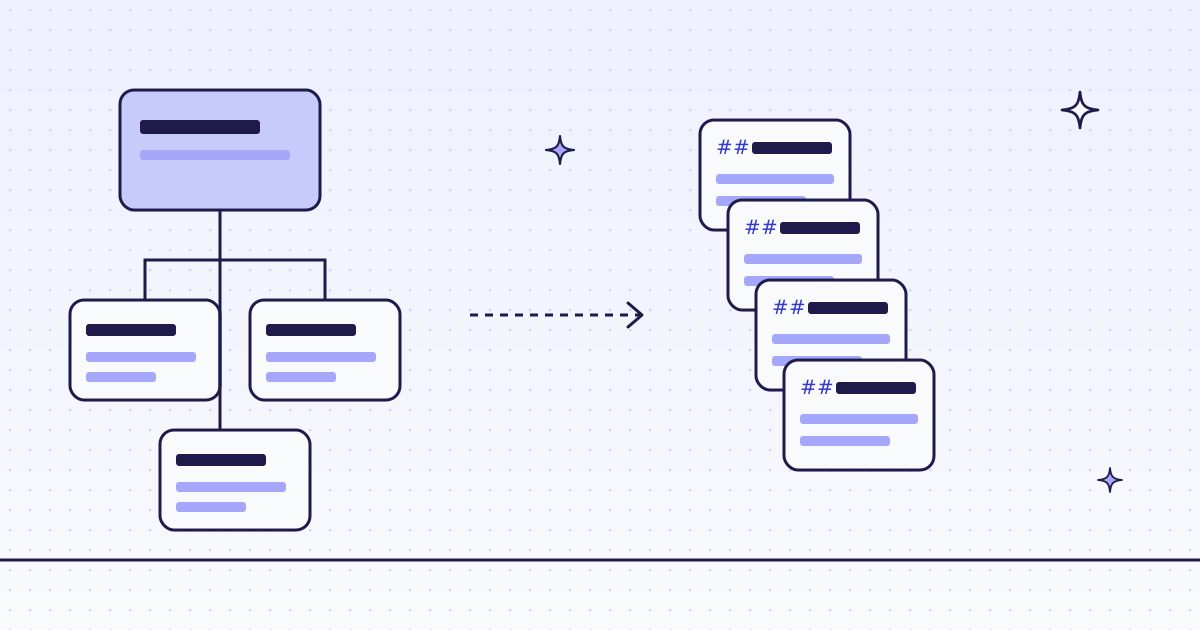
The short answer: do it in two calls. First POST /v1/map with the start URL: it reads the site’s sitemaps and the links on the start page, and returns up to 5,000 URLs for 4 credits on most sites. Keep the URLs you want. Then send them as one batch with "response_types": "markdown". Each finished page is a .md file you download from a signed link. You pay per page, by the route that fetched it, and a block we detect is free.
Why map first, not follow links
A crawler that follows links finds pages one hop at a time. It fetches menus, tag pages and archives on the way, and you pay for each. A map reads the list the site already publishes, its sitemap, so you see every URL before you spend anything on pages. You filter with plain code, then fetch only what you keep.
Our batch API can also crawl by following links (crawl with max_depth and path patterns). A crawl reads links from HTML, so its pages come back as HTML today. For Markdown, map first.
The free way: llms.txt or the source
Look for a free copy before you crawl:
/llms.txtand/llms-full.txt: some sites publish a page list, or every page in one file, for LLMs.- The source repo. Many docs and blogs are built from Markdown in a public git repo. Clone it.
- Your own crawler. Open-source crawlers plus an HTML-to-Markdown library run for free on your machine.
A crawl through us helps when the site blocks your server’s IP or your client, when pages need a real browser, or when you do not want to tune “main content” rules per site. Turn any web page into Markdown shows what the conversion keeps.
Check a site first
Before a crawl, ask about the host. It is free. Over MCP, your agent calls check_site:
{"name": "check_site", "arguments": {"host": "books.toscrape.com"}}From cURL, the same answer is two calls: /v1/tier for the price, /v1/stats/domain for how our routes have done there lately.
curl -s -H "Authorization: Bearer YOUR_KEY" \
  "https://get.megalania.io/v1/tier?host=books.toscrape.com"
curl -s -H "Authorization: Bearer YOUR_KEY" \
  "https://get.megalania.io/v1/stats/domain?host=books.toscrape.com&days=30"
quotes is the price of a page on each route that can serve you now. Multiply by the number of pages you keep, and you have the cost of the crawl before you start. Check a site first explains every field.
Step 1: map the site (cURL)
curl -sS https://get.megalania.io/v1/map \
  -H "Authorization: Bearer YOUR_KEY" \
  -H "Content-Type: application/json" \
  -d '{"url": "https://books.toscrape.com/", "limit": 1000}' \
  -o map.json
The answer is a list. source says where we found each URL: sitemap or link, from the start page.
{
  "urls": [
    {"url": "https://books.toscrape.com/catalogue/page-2.html", "source": "link"},
    {"url": "https://books.toscrape.com/catalogue/category/books/travel_2/index.html", "source": "link"}
  ],
  "truncated": false
}
truncated: true means there may be more URLs than the list holds. Raise limit (at most 5,000), or add "search": "/catalogue/" to keep only URLs that contain that text.
Step 2: send the URLs as one batch
A batch takes up to 10,000 URLs and the same parameters as POST /v1. It lives on the API host, api.megalania.io, not the scrape host:
curl -sS https://api.megalania.io/v1/batches \
  -H "Authorization: Bearer YOUR_KEY" \
  -H "Content-Type: application/json" \
  -H "Idempotency-Key: crawl-books-1" \
  -d '{"urls": ["https://books.toscrape.com/catalogue/page-2.html", "https://books.toscrape.com/catalogue/page-3.html"], "response_types": "markdown", "max_credits": "64"}'
The answer is {"id": "...", "item_count": 2, "status": "queued"}. Nothing is charged at submit. Each page is charged when a worker fetches it. Send the same Idempotency-Key on a retry, and you get the same batch back instead of a second one.
Python: map, filter, batch, download
The whole job in one script. It maps the site, keeps the URLs under one path, sends the batch, waits for it, and saves each page as a .md file.
# pip install requests
# Run: MEG_API_KEY=YOUR_KEY python crawl_to_markdown.py https://books.toscrape.com/ /catalogue/
import os
import sys
import time
import uuid

import requests

KEY = {"Authorization": f"Bearer {os.environ['MEG_API_KEY']}"}
start, keep = sys.argv[1], sys.argv[2]


def ok(resp):
    if resp.status_code not in (200, 201, 202):
        err = resp.json()["error"]
        sys.exit(f"{resp.status_code} {err['code']}: {err['message']}")
    return resp.json()


site = ok(requests.post("https://get.megalania.io/v1/map", headers=KEY, json={"url": start, "limit": 1000}, timeout=120))
urls = [u["url"] for u in site["urls"] if keep in u["url"]][:200]
print(f"map: {len(site['urls'])} URLs, keeping {len(urls)}")

batch = ok(requests.post(
    "https://api.megalania.io/v1/batches",
    headers={**KEY, "Idempotency-Key": str(uuid.uuid4())},
    json={"urls": urls, "response_types": "markdown", "max_credits": "64"},
    timeout=60,
))
while batch["status"] in ("queued", "running"):
    time.sleep(10)
    batch = ok(requests.get(f"https://api.megalania.io/v1/batches/{batch['id']}", headers=KEY, timeout=30))
    print(batch["status"], batch["done_count"], "of", batch["item_count"])

os.makedirs("pages", exist_ok=True)
cursor = ""
while True:
    page = ok(requests.get(f"https://api.megalania.io/v1/batches/{batch['id']}/items", headers=KEY, params={"limit": 100, "cursor": cursor}, timeout=30))
    for item in page["items"]:
        if item.get("result_url"):
            md = requests.get(item["result_url"], timeout=60)
            with open(f"pages/{item['position']:05d}.md", "w", encoding="utf-8") as f:
                f.write(f"<!-- {item['url']} -->\n\n{md.text}")
    cursor = page.get("next_cursor")
    if not cursor:
        break
print("credits:", batch["counts"]["charged_credits"])- The
[:200]cap keeps a first run small. Raise it once the output looks right. result_urlis signed for 15 minutes. Download it without your key. If it runs out, list the items again for a fresh link.- A blocked item has no
result_urland costs 0. List them with?status=blocked,failedand decide what to retry.
What you get
Each file is the page’s main content as Markdown: headings, lists, links, tables and code blocks kept, menus and footers dropped. The script writes the source URL on the first line, so you can cite it in your RAG answers. Split each file at its ## headings for chunks; the headings keep each chunk’s context.
Want the whole page, menus included? Add "only_main_content": "false" to the batch body.
Try it on our Lab. lab.megalania.io is our own set of test pages, with a sitemap and a robots.txt that disallows /private/. Map it first, then send the URLs as one batch.
What it costs
The map is 4 credits on most sites (HTTP datacenter, up to 384 KiB read). A map we could not read at all is free.
Each page is priced on its own, by the route that fetched it, before page size:
| Route | Credits a page | Included data |
|---|---|---|
HTTP, datacenter (h:dc) |
1 | 64 KiB |
HTTP, residential (h:res) |
8 | 64 KiB |
Browser, datacenter (c:dc) |
15 | 1 MiB |
Browser, residential (c:res) |
32 | 64 KiB |
Each started 128 KiB above the included data adds 1 on h:dc and c:dc, and 8 on h:res and c:res. Markdown adds 0. So a 500-page site of small pages on h:dc costs about 4 + 500 credits. POST /v1/batches/quote takes the same body and answers the most the batch can cost, before you send it. Run check_site (free) to see the price for your site.
Limits
- 10,000 URLs per batch. Split a bigger list.
- Batches take every
/v1option.actions,network,screenshotandschemawork in a batch and in a crawl, at the same prices. - What we keep. A batch keeps its URLs while it runs and at most 7 days after it ends, then deletes them. You can erase it sooner.
- Untrusted text. The Markdown is the site’s content. A page can hide instructions for an LLM. Treat it as data.
- Terms: this is not legal advice. Read each site’s terms and robots.txt, including any clause on AI use, and follow them.
Every batch field: Batches. Every map field: Map a site.